

What Is Cloud Computing?
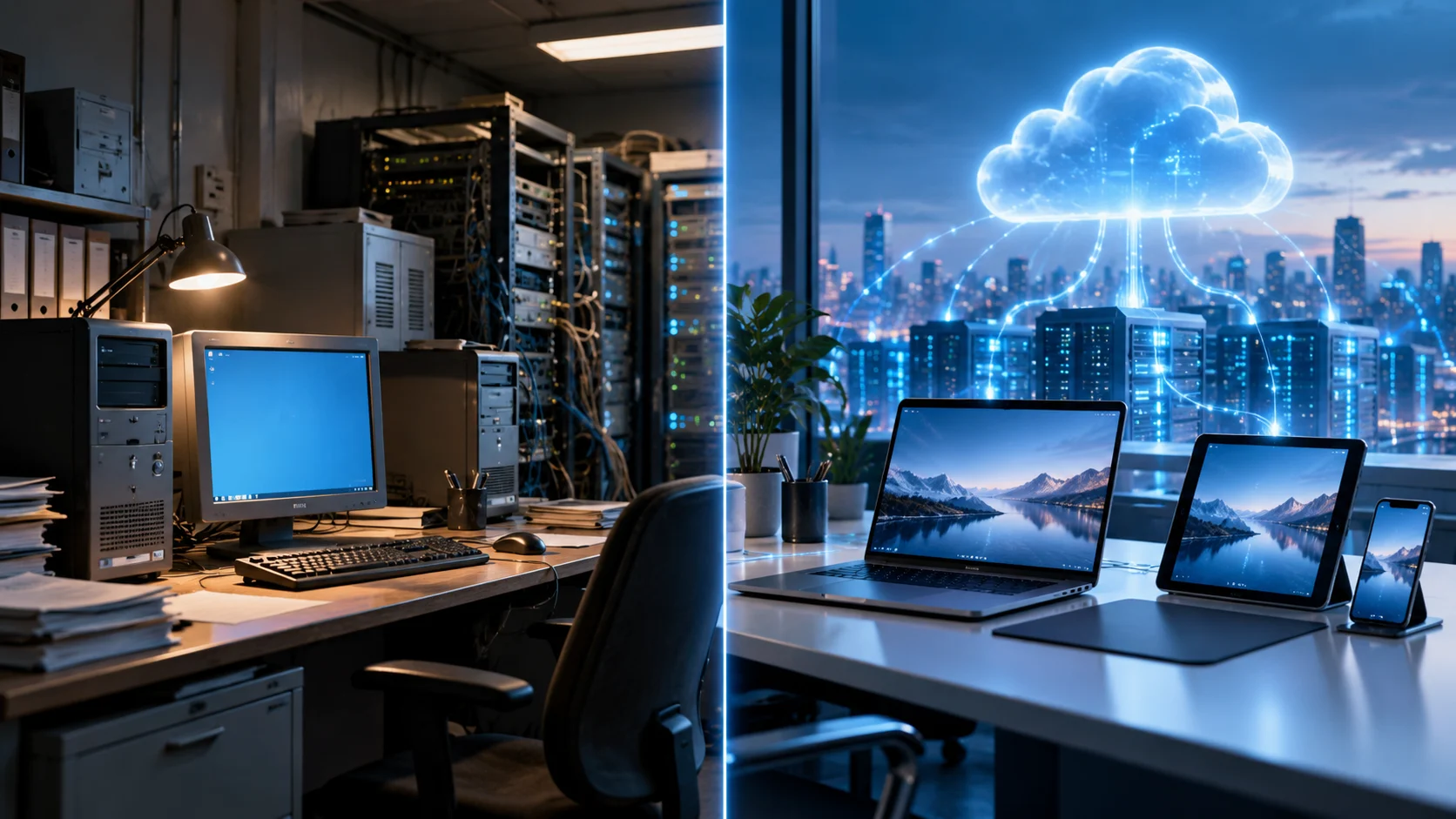
Cloud computing delivers servers, storage, databases, software, networking, and processing power through the internet or another network connection. Instead of owning every physical system required to run an application, businesses can rent computing resources from a provider. These resources can usually be created, adjusted, or removed as requirements change.
The physical computers still exist, but they are located inside data centers operated by cloud providers or other organizations. Technologies such as virtualization allow large servers to support multiple isolated computing environments. Users interact mainly with virtual resources rather than directly managing every physical piece of hardware underneath them.
Cloud computing is commonly used for websites, business applications, backups, analytics, artificial intelligence, online storage, and software development. It is popular because organizations can access technology quickly without building a complete data center. However, customers still need to manage costs, security, applications, permissions, and data responsibly.
What Is Traditional Computing?
Traditional computing generally refers to technology infrastructure owned or directly managed by an organization at its own location or dedicated data center. A business may purchase physical servers, storage devices, networking equipment, software licenses, and backup systems. Internal IT teams then install, configure, maintain, and eventually replace this equipment.
This approach gives organizations significant control over their hardware and technical environment. Administrators can decide exactly which servers, operating systems, network configurations, and security tools are used. However, that control also creates responsibility for hardware maintenance, power, cooling, upgrades, physical security, and capacity planning.
Traditional computing is still widely used, particularly when organizations have existing infrastructure or workloads requiring specific hardware. It is not automatically outdated or inferior to cloud computing. The best approach depends on costs, technical requirements, security policies, performance needs, existing investments, and how quickly computing demand changes.
Cloud Computing vs Traditional Computing: The Basic Difference
The biggest difference is where computing resources come from and how they are managed. Traditional computing usually depends on infrastructure purchased and maintained directly by the organization. Cloud computing allows businesses to access computing resources remotely from a provider instead of owning all the underlying hardware themselves.
Traditional infrastructure often requires businesses to estimate future capacity before purchasing equipment. If demand grows unexpectedly, new servers may need to be ordered and installed. Cloud environments can usually add virtual servers, storage, or other services much faster because the provider already operates large pools of available infrastructure.
The difference does not mean every cloud system is completely remote or every traditional system is isolated. Organizations increasingly combine both approaches. Some workloads remain on locally managed servers while others move to cloud services, creating hybrid environments designed around the needs of different applications.
Infrastructure Ownership and Maintenance
With traditional computing, the organization usually owns or leases the physical servers and supporting equipment. Internal teams are responsible for replacing failed drives, maintaining networking hardware, managing server rooms, and ensuring systems receive adequate power and cooling. Hardware maintenance becomes an ongoing operational responsibility.
Cloud computing shifts much of this physical infrastructure work to the cloud provider. Customers typically do not replace hard drives or maintain server racks themselves. The provider operates the data centers while customers manage the services, applications, accounts, and configurations running on top of that infrastructure.
This difference can allow IT teams to spend less time managing physical equipment. However, cloud computing does not eliminate technical work. Teams still need expertise in areas such as architecture, cybersecurity, automation, networking, databases, permissions, application performance, backup policies, and cloud cost management.
Cost Differences Between Cloud and Traditional Computing
Traditional computing often involves significant upfront spending. Businesses may need to purchase servers, networking equipment, storage systems, backup hardware, software licenses, and data-center infrastructure before workloads can run. These assets may then remain in service for several years before requiring replacement or major upgrades.
Cloud computing commonly uses subscription or consumption-based pricing. Instead of buying a large server, a business might pay for virtual computing capacity by the hour, month, storage amount, or level of usage. This can reduce initial investment and make it easier to begin with smaller resources.
Cloud computing is not automatically cheaper. Unused resources, excessive storage, data transfer charges, or poorly designed applications can create large bills. Traditional infrastructure may sometimes be financially attractive for predictable, stable workloads, so organizations should compare total cost rather than assuming one model always saves more money.
Scalability and Flexibility
Scalability is one of the strongest differences between cloud and traditional computing. Cloud platforms can often add processing power, memory, storage, or additional servers within minutes. This makes them useful for applications that experience seasonal traffic, rapid business growth, or unpredictable changes in demand.
Traditional computing can also scale, but the process is generally more dependent on available hardware. If existing servers reach capacity, the organization may need to purchase, deliver, install, and configure additional equipment. That process can take considerably longer than creating new virtual resources through a cloud dashboard.
Cloud platforms can sometimes scale automatically according to traffic or resource usage. Additional servers may be created during busy periods and removed when demand falls. This flexibility helps businesses avoid maintaining maximum capacity continuously when they only need additional computing power during occasional traffic spikes.
Deployment Speed and Business Agility
Traditional infrastructure can require substantial setup before a new application becomes available. IT teams may need to order servers, configure networking, install operating systems, and prepare storage before developers can deploy software. These steps can slow experimentation and make infrastructure planning an important part of every project.
Cloud computing can shorten this process because many resources are available on demand. Developers may create a virtual server or database within minutes using a web interface or automated script. Temporary development and testing environments can also be created and removed without purchasing permanent hardware.
Faster infrastructure access can make organizations more agile when testing products or responding to business opportunities. To understand why cloud environments can be deployed and scaled so quickly, learning about cloud architecture can clarify how virtualization, networking, storage, and distributed resources work together.
Security and Control
Traditional computing can provide direct control over hardware, physical access, networking, and system configurations. Organizations can create infrastructure specifically around their own security policies. This level of control can be valuable when workloads have specialized requirements or when internal teams need detailed visibility into every technical layer.
Cloud providers also offer extensive security capabilities, including encryption, identity management, firewalls, monitoring, activity logging, and threat-detection tools. However, cloud security follows a shared-responsibility approach. Providers secure certain infrastructure components while customers remain responsible for their accounts, applications, permissions, configurations, and data.
Neither model is automatically more secure. A poorly maintained private server can be vulnerable, while a badly configured cloud account can also create serious risk. Security depends heavily on architecture, access management, software maintenance, monitoring, employee practices, and how effectively the organization applies available controls.
Reliability, Backup, and Disaster Recovery
Traditional environments can be highly reliable when organizations invest in redundant servers, backup power, multiple network connections, and secondary facilities. However, building this level of resilience independently can be expensive. Smaller companies may rely on only a few local systems, making hardware failures more disruptive.
Cloud platforms can make redundancy easier because providers operate large infrastructure across multiple data centers. Businesses can distribute applications or backups across different servers, availability zones, or geographic regions. If one component fails, properly designed systems may continue operating using healthy resources elsewhere.
Cloud infrastructure still experiences outages, so moving an application to the cloud does not automatically guarantee uninterrupted service. Businesses need suitable architecture, backups, replication, monitoring, and recovery plans. Both cloud and traditional computing require deliberate disaster-recovery planning for systems that are important to operations.
Remote Access and Collaboration
Cloud computing is naturally suited to services that need to be accessed from different locations. Employees can use cloud applications, shared storage, business tools, and virtual resources from authorized devices when secure connectivity is available. This can support remote work, distributed teams, and businesses with several offices.
Traditional systems may also support remote access, but organizations often need to build and manage additional networking infrastructure. Virtual private networks, remote desktop services, gateways, and other tools can allow employees to connect securely to internal systems from outside the office.
Cloud applications can simplify collaboration because files and business data are stored centrally rather than on one employee’s local machine. Teams may work on shared documents or systems simultaneously. Proper identity controls remain essential so remote accessibility does not give unauthorized users unnecessary access to company information.
Performance and Internet Dependence
Traditional infrastructure can offer predictable performance when users and servers are located close together on the same local network. Applications that transfer large amounts of internal data may benefit from low-latency local connections. Organizations can also choose hardware specifically optimized for demanding workloads.
Cloud performance depends partly on internet or network connectivity between users and remote infrastructure. Slow connections or high latency can affect some applications, particularly those requiring constant communication with distant servers. Providers reduce this issue by operating multiple regions and using networks designed to move data efficiently.
Cloud systems can also access extremely powerful infrastructure without requiring the customer to purchase specialized equipment. High-performance computing, graphics processors, and large database systems can be rented when needed. Businesses therefore need to compare connectivity requirements with the performance benefits available from scalable cloud resources.
Updates, Management, and Technical Responsibility
Traditional environments often require internal teams to handle hardware replacement, operating-system updates, software patches, backups, and application maintenance. The organization decides when changes occur but also assumes responsibility for keeping systems supported, secure, and reliable throughout their useful life.
Cloud responsibility varies according to the service model. With virtual infrastructure, customers still manage operating systems and applications. With managed platforms or software services, the provider may handle more updates, infrastructure maintenance, and technical operations on the customer’s behalf.
This can reduce certain administrative tasks, but it can also reduce direct control over update schedules or underlying systems. Organizations should understand what their cloud provider manages before migrating important workloads. The right balance depends on whether control or reduced operational workload is more valuable for a particular application.
Which Option Is Better for Businesses?
Cloud computing can be especially suitable for growing companies, digital products, remote teams, variable workloads, and organizations that want rapid access to infrastructure. Businesses can start with relatively small resources and scale as their needs develop without committing to large hardware purchases immediately.
Traditional computing can still make sense for workloads requiring specialized equipment, predictable local performance, direct hardware control, or integration with established internal systems. Organizations with major existing infrastructure investments may also continue using local environments when migration provides limited practical benefit.
Many businesses ultimately use a combination of both. Hybrid computing allows organizations to keep selected workloads on traditional or private infrastructure while using public cloud services elsewhere. The best strategy is based on workload requirements rather than trying to force every system into one technology model.
Conclusion
Cloud computing and traditional computing both provide the infrastructure needed to run applications, store information, and support business systems. The main difference is how resources are owned, deployed, scaled, and maintained. Cloud computing rents flexible remote resources, while traditional computing relies more heavily on directly managed infrastructure.
Cloud environments typically offer faster scaling, lower upfront infrastructure requirements, and easier access to remote services. Traditional systems can provide strong hardware control, predictable local performance, and flexibility for specialized requirements. Each approach also creates different responsibilities related to security, maintenance, cost, and technical management.
There is no universal winner for every organization. Businesses should compare workload demand, budget, security requirements, technical expertise, performance, growth plans, and existing infrastructure. In many cases, combining traditional systems with cloud services provides a practical balance between control and flexibility.
FAQs
What is the main difference between cloud and traditional computing?
Cloud computing provides remote computing resources through a service provider, while traditional computing usually relies on hardware owned or directly managed by the organization. The models differ in ownership, scaling, maintenance, and pricing.
Is cloud computing cheaper than traditional computing?
It can reduce upfront infrastructure costs, but it is not always cheaper overall. The answer depends on resource usage, workload stability, staffing, hardware costs, cloud pricing, and how efficiently each environment is managed.
Is cloud computing more scalable?
Generally, yes. Cloud platforms can often add or remove servers, storage, and processing capacity much faster than traditional environments that require organizations to purchase and install additional physical hardware.
Is traditional computing more secure than cloud computing?
Not automatically. Both models can be secure or vulnerable depending on how they are configured and maintained. Strong authentication, updates, monitoring, access controls, and security practices remain important in either environment.
Can businesses use cloud and traditional computing together?
Yes. Many businesses use hybrid environments that combine locally managed infrastructure with public cloud services. This allows different workloads to run where cost, performance, control, and flexibility make the most sense.

