

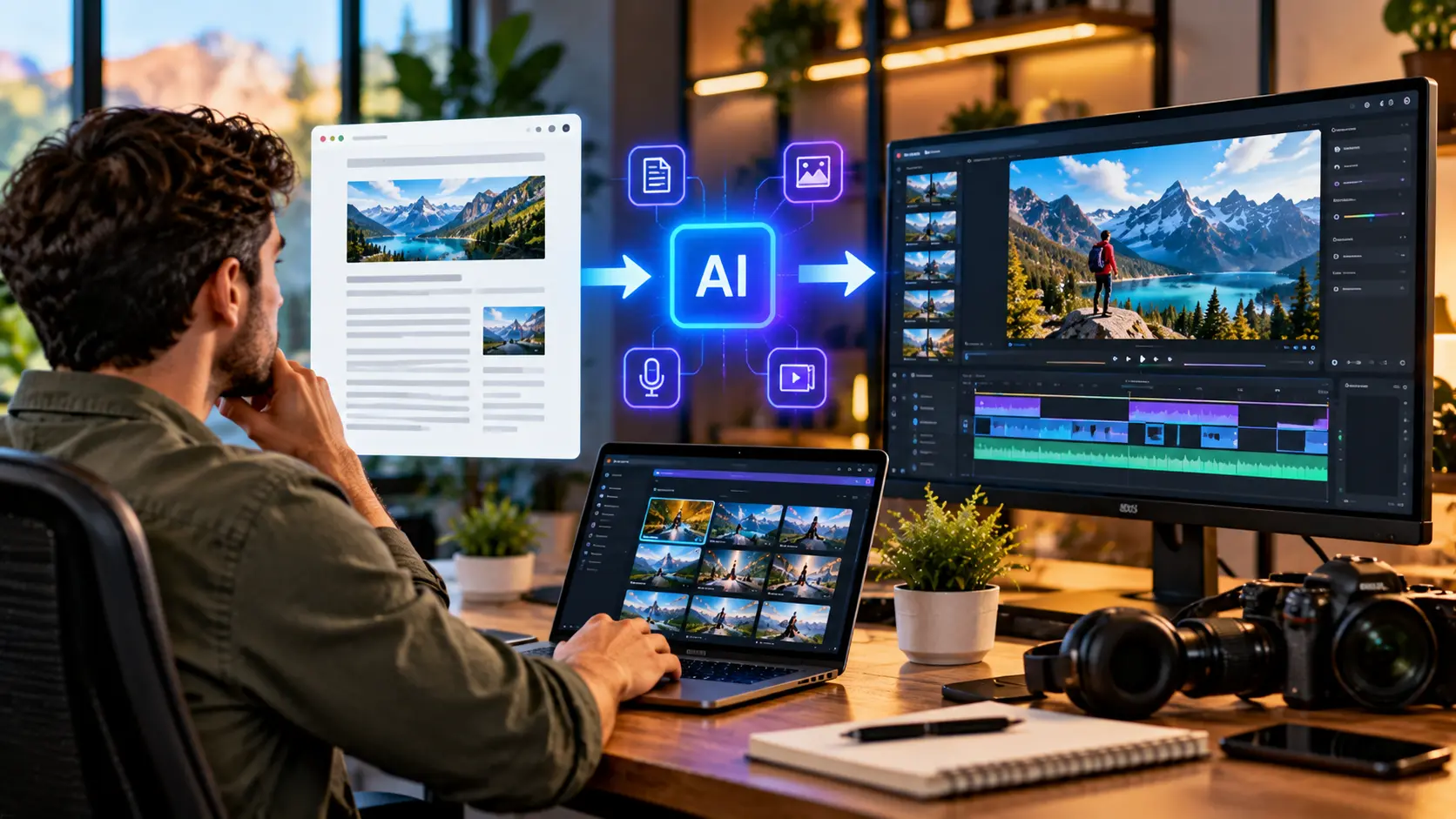
Creating high-quality blog content takes time, research, and creativity. However, publishing an article on your website is only one way to share valuable information with your audience. Many readers also prefer watching videos because visual content can make complex topics easier to understand. Learning how to turn blog posts into videos with AI allows content creators, bloggers, and businesses to repurpose existing articles into engaging video content.
Artificial intelligence has made video production more accessible by automating tasks such as scriptwriting, voiceover generation, visual selection, subtitles, and basic editing. Instead of creating every video from scratch, you can use an existing blog post as the foundation for a video. This approach can save production time and help distribute content across platforms such as YouTube, Instagram, TikTok, and LinkedIn.
In this guide, you will learn how to convert blog posts into videos using AI, including the best tools, practical steps, video formats, and optimization strategies. You will also discover how to write effective AI prompts, create professional voiceovers, and adapt videos for different platforms. These techniques can help you reach new audiences while getting more value from your existing content.
What Is AI Blog-to-Video Conversion?
AI blog-to-video conversion is the process of transforming written articles into video content using artificial intelligence tools. These tools analyze text, identify important ideas, and assist with creating scripts, narration, visuals, and video scenes. Some platforms can automatically produce a basic video draft from a blog URL or pasted article. Others focus on individual production tasks.
For example, a blog post about digital marketing strategies can become a short educational video featuring key points, animated graphics, and narration. A travel article might become a visual guide highlighting destinations and practical tips. The video does not need to include every sentence from the original article. Instead, it should communicate the most useful information in a format suitable for viewing.
The quality of an AI-generated video depends on the original content, tool capabilities, and editing decisions. Automatically generated scenes may not always match the article accurately. Reviewing the script and visuals is therefore essential. AI works best as a production assistant rather than a complete replacement for editorial judgment.
Why Turn Blog Posts Into Videos?
Repurposing blog posts into videos allows businesses and creators to reach people who prefer visual content over reading long articles. Different audiences consume information in different ways, and video provides another opportunity to communicate useful ideas. A single article can support multiple content formats. This helps maximize the value of existing research and writing.
Video content can also support brand awareness and audience engagement across different platforms. YouTube provides opportunities to publish educational videos, while short-form platforms are suitable for concise tips and explanations. LinkedIn videos may help professionals share business insights. However, success depends on audience interests and content quality rather than the format alone.
Another advantage is production efficiency. An established blog post already contains information, examples, and a logical structure that can support script development. AI tools can help adapt this material instead of requiring entirely new research. Creators can spend more time reviewing accuracy, improving presentation, and responding to audience needs.
1. Choose the Right Blog Post to Convert
The first step is selecting a blog post that would work well as a video. Not every written article is suitable for direct conversion because reading and viewing are different experiences. Content with clear explanations, practical advice, examples, or visual demonstrations is often easier to adapt. Choosing the right article can simplify production.
Popular candidates include how-to guides, product comparisons, tutorials, educational articles, and frequently asked questions. For example, a post titled “How to Improve Website Speed” could become a video explaining common performance issues. Travel guides can become destination overviews. Articles with a strong central message are particularly useful.
Before selecting a post, review its accuracy and publication date. Outdated statistics, changed product features, or incorrect recommendations should be updated before video production. You can also examine which articles receive meaningful traffic or engagement. Strong performance may suggest audience interest, although it does not guarantee video success.
2. Identify the Main Topic and Video Goal
Every effective video should have a clear purpose. Before using an AI video generator, decide what viewers should learn or understand after watching. A video that attempts to cover every detail from a long blog post may become difficult to follow. Identifying the central message helps keep the content focused.
For example, a 2,500-word article about search engine optimization may discuss technical SEO, keyword research, backlinks, and content strategy. Rather than including everything, you could create separate videos for individual topics. A shorter video might explain three important beginner concepts. This approach makes the information easier to understand.
Your goal should also reflect the intended audience. Beginners may need simple explanations, while experienced professionals may prefer specific examples and detailed analysis. Consider the viewer’s familiarity with the subject. Clear goals make scriptwriting, visual selection, and editing decisions more effective.
3. Convert the Blog Post Into a Video Script Using AI
Once you have selected an article, the next step is transforming it into a video script. AI writing tools can summarize long sections, identify important points, and reorganize information into spoken language. This is useful because sentences written for reading may sound unnatural when narrated. Video scripts generally benefit from shorter, conversational sentences.
You can paste your article into an AI writing tool or provide the relevant text from an accessible source. Ask the tool to create a script with a clear introduction, logical sections, and a concise ending. Specify your target audience and desired length. These details help generate a more appropriate draft.
Example AI prompt:
“Convert the following blog post into a clear, engaging YouTube video script for beginners. Keep the most important information, explain technical terms in simple English, and use natural spoken language. Include a short introduction, well-organized sections, practical examples, and a brief conclusion. Target approximately five minutes of narration. Do not invent facts or statistics.”
Review the generated script carefully before moving forward. AI may omit important qualifications or add unsupported claims. Compare the draft with the original article and update any information that needs verification. A strong script should preserve accuracy while making the content easier to understand.
4. Select the Best AI Blog-to-Video Tool
Choosing an appropriate AI video tool depends on your content, budget, and preferred production style. Some platforms specialize in transforming text into narrated videos, while others offer AI avatars, automated editing, or social media templates. Understanding these differences helps you select a tool that matches your requirements. There is no single platform suitable for every project.
Popular options include Pictory, InVideo AI, Lumen5, Synthesia, and Canva. Their capabilities differ, with some emphasizing text-to-video workflows and others focusing on presentation-style videos or avatar narration. Features, subscription plans, and generation limits may change. Reviewing current product details before subscribing is important.
| AI Tool | Common Use Case |
|---|---|
| Pictory | Turning scripts and articles into videos |
| InVideo AI | Generating videos from text prompts |
| Lumen5 | Repurposing written marketing content |
| Synthesia | Creating presenter-style AI avatar videos |
| Canva | Designing and editing branded videos |
Beginners may prefer tools with straightforward editing interfaces and customizable templates. Businesses producing regular video content may need consistent branding and collaboration features. Free plans or trials can help evaluate workflows when available. Testing a small project before purchasing a subscription may prevent unnecessary expenses.
5. Generate Video Scenes From Your Content
After preparing the script, divide it into smaller scenes or sections. Each scene should communicate one clear idea supported by suitable visuals. Many AI video platforms can suggest footage, images, transitions, and background elements automatically. This helps creators build a visual structure without editing every component manually.
For example, a blog post about cloud computing could use server illustrations, interface demonstrations, and simple diagrams. A home improvement article may benefit from photographs showing different design concepts. Educational videos can use charts or short visual explanations. The selected imagery should help viewers understand the message rather than simply fill the screen.
Automated visual selection is not always reliable. An AI tool might choose generic footage that looks attractive but has little connection to the topic. Review each scene for relevance, accuracy, and consistency. Replacing unsuitable visuals can significantly improve the final video’s quality.
6. Create Natural AI Voiceovers
Narration helps explain information and connect different video scenes. AI text-to-speech tools can convert a written script into spoken audio using synthetic voices. Many applications offer different languages, accents, and speaking styles. These features allow creators to produce narrated videos without recording every line themselves.
Selecting a suitable voice is important because narration influences the viewing experience. Educational content often benefits from clear, steady delivery, while promotional videos may use a more energetic tone. Excessively fast speech can make information difficult to follow. A natural pace gives viewers time to process important points.
Before finalizing the voiceover, listen for incorrect pronunciations, awkward pauses, and unfamiliar technical terms. AI-generated speech may require adjustments, especially when handling brand names or specialized vocabulary. Human narration is also a valid option when creators prefer greater control. The main objective is understandable, accurate communication.
7. Add Subtitles and On-Screen Text
Subtitles can make videos easier to follow for viewers who watch without sound or benefit from written dialogue. Many AI editing platforms automatically generate captions from narration. This reduces the amount of manual transcription required. However, automatic captions should always be reviewed for accuracy.
On-screen text can also emphasize important facts, steps, or definitions. For example, a tutorial might display short headings such as “Choose a Topic” or “Create a Script.” These visual cues help organize the information. Long paragraphs should generally be avoided because they may become difficult to read on smaller screens.
Use clear fonts, sufficient contrast, and consistent text placement. Captions should not cover important demonstrations or visual details. Accessibility considerations can also influence text size and timing. Reviewing the video on mobile and desktop displays helps identify readability problems.
8. Use AI Images and Stock Footage Effectively
Images and footage play an important role in turning a written article into an engaging visual experience. Depending on the topic, creators may use original photographs, licensed stock clips, AI-generated illustrations, or screen recordings. Each option supports different types of storytelling. Combining them thoughtfully can create a more informative video.
AI-generated images can be useful when suitable photographs or illustrations are unavailable. For example, an article about future technology may benefit from conceptual visualizations. However, generated content should not be presented as authentic evidence of real events. Viewers should be able to distinguish illustration from factual documentation when that distinction matters.
Stock footage also requires attention to licensing terms. Not every image available online can be reused freely, especially for commercial projects. Creators should verify permitted usage before including third-party materials. Responsible asset selection helps protect the video’s credibility and reduces copyright-related problems.
9. Choose the Right Video Length
Video length should depend on the topic, audience, and publishing platform. A detailed blog post may support a longer educational video, while a single practical tip may work better as a short clip. Attempting to fit too much information into a limited duration can reduce clarity. The goal is to deliver useful information efficiently.
For example, a comprehensive tutorial might require six to ten minutes, depending on the complexity of its demonstrations. A short-form video could focus on one question or several concise tips. These are planning examples rather than fixed performance rules. Audience expectations vary considerably between platforms and content categories.
Creators should estimate video duration using the completed script and narration pace. Sections that feel repetitive or unnecessary can be shortened during editing. Important explanations should not be removed simply to achieve an arbitrary length. A well-structured video is more useful than one designed only around a specific duration.
10. Turn Blog Posts Into YouTube Videos
YouTube is a popular platform for publishing educational videos, tutorials, reviews, and informative content. Turning blog posts into YouTube videos can help creators present their expertise in another format. A detailed article provides useful source material for a structured video. However, the script should be adapted for spoken delivery.
Begin by identifying the main question answered by the article. Create a suitable title and organize the script into logical sections. Add relevant visuals, narration, and supporting examples. A clear introduction should explain what viewers can expect to learn without making exaggerated promises.
The finished video should also have an informative description and a relevant thumbnail. Creators may include a link to the original blog post when appropriate. This provides interested viewers with additional details and resources. However, links do not guarantee traffic or improved search rankings.
11. Convert Articles Into YouTube Shorts
YouTube Shorts offers another opportunity to repurpose written content into concise vertical videos. Instead of converting an entire article into one short video, select a specific idea or useful takeaway. This approach allows viewers to understand the message quickly. It is especially suitable for tips, definitions, and brief explanations.
For example, a blog post about email marketing might contain several individual tips that could become separate Shorts. Each video could explain one concept using a short script and simple visuals. A 9:16 vertical layout is commonly used for short-form mobile video. Important text should remain visible within the platform’s interface.
Shorts should communicate a complete idea rather than merely advertise the existence of an article. Viewers are more likely to appreciate content that offers immediate value. Creators can experiment with different topics and presentation styles. Reviewing performance helps identify which subjects attract meaningful audience interest.
12. Repurpose Blog Content for Instagram and TikTok
Instagram and TikTok provide opportunities to reach audiences through short-form visual content. Blog posts can supply ideas for educational clips, short explanations, and practical demonstrations. However, content should be adapted to each platform’s viewing experience. Simply uploading a long article as scrolling text is unlikely to create an engaging video.
A useful approach is selecting one valuable idea from a blog post and turning it into a focused script. Add visuals that directly support the explanation. Captions can improve accessibility and make the message understandable without sound. The finished video should be easy to follow on mobile devices.
Platform trends and features change frequently, so creators should avoid relying entirely on temporary formats. Clear information, accurate examples, and consistent branding remain useful across different environments. Publishing the same core idea in several formats can extend content reach. Each version should still be reviewed for relevance and quality.
13. Create LinkedIn Videos From Business Articles
LinkedIn can be useful for professionals and businesses that publish educational or industry-focused content. Blog posts about leadership, marketing, business operations, and workplace trends may provide suitable video topics. Short explanations can help communicate expertise and encourage professional discussions. The content should remain relevant to the intended audience.
For example, an article about business growth could become a video explaining three common planning mistakes. A technical SEO blog post might become a short explanation of a website optimization concept. These focused topics can be easier to understand than a broad overview. Practical examples strengthen the message.
Professional videos do not always require elaborate visual effects. Clear narration, readable captions, and accurate information may be sufficient. Creators should avoid exaggerated success claims or unsupported statistics. A useful LinkedIn video demonstrates knowledge while respecting the audience’s time.
14. Optimize AI Videos for Search Engines
Video optimization helps search platforms and viewers understand what your content covers. Useful elements include descriptive titles, accurate descriptions, relevant chapters, and clear spoken explanations. These features can improve discoverability and navigation. However, no single optimization technique guarantees higher rankings or increased views.
Keyword research may help identify the language people use when searching for information. Creators can incorporate relevant phrases naturally into titles and descriptions. For example, a video explaining blog-to-video conversion might use a title that clearly reflects that topic. Repeating keywords unnecessarily can make metadata less useful.
Captions and transcripts may also improve accessibility and help communicate video content. Creators should focus on producing accurate, helpful material that satisfies viewer expectations. Watch time and audience engagement can provide useful feedback, but they should be interpreted in context. Search optimization works best when combined with strong content quality.
15. Embed AI-Generated Videos Into Blog Posts
Embedding a relevant video within an existing blog post gives readers an additional way to consume information. Some visitors may prefer watching an explanation before reading the full article. Others may use the video to review key points. Providing both formats can improve the overall usefulness of a page.
The video should closely match the surrounding content. For example, an article explaining a software process could include a short demonstration. A travel guide might feature a video overview of important destinations. Unrelated videos may distract readers rather than improve their experience. Placement should support the article’s main purpose.
Website performance is also important when adding embedded videos. Excessive scripts or poorly implemented embeds may affect loading speed and usability. Website owners should review performance across mobile and desktop devices. A relevant, accessible video can complement written content without replacing valuable text.
16. Maintain Content Accuracy and Quality
AI-generated videos require editorial review because automated systems can make mistakes. A script may contain incorrect facts, while visuals may depict inaccurate details. These problems are especially important when discussing technical, financial, medical, or other sensitive topics. Creators remain responsible for the reliability of published information.
Before publishing, compare the video script with the original article and trusted information. Verify important claims, product features, dates, and statistics. Review visual demonstrations to ensure they represent the process accurately. Avoid using synthetic images in ways that mislead viewers about real people or events.
Quality review should also include pronunciation, captions, pacing, and overall clarity. Small editing errors can make a video appear less professional. A final review helps identify problems that automated tools may overlook. Responsible production supports audience trust and the long-term credibility of the creator.
17. Avoid Common Blog-to-Video Mistakes
One common mistake is copying an entire blog post into a video generator without adapting the content. Written articles often contain detailed explanations that do not translate naturally into spoken narration. This can produce unnecessarily long or repetitive videos. A clear script should prioritize the most valuable information.
Another mistake is accepting automatically selected visuals without checking their relevance. Generic footage may make the video look polished while failing to explain the subject. Creators should replace inaccurate or distracting scenes. Visual storytelling works best when each element supports the narration.
Some creators also overlook audio quality, captions, and mobile readability. Poor narration or difficult-to-read text can reduce the usefulness of otherwise strong content. Reviewing the finished video on different devices helps identify these issues. Thoughtful editing can be more valuable than adding complicated effects.
18. Build a Repeatable AI Video Repurposing Workflow
A repeatable workflow helps businesses and content creators convert blog posts into videos more efficiently. Begin by selecting an accurate, useful article with a clear topic. Identify the main message and choose an appropriate video format. These decisions provide direction before using AI tools.
Next, generate a script and divide it into logical scenes. Select relevant visuals, create narration, add captions, and refine the editing. Review the finished video for accuracy and clarity. A standardized checklist can help prevent missed steps during recurring projects.
After publishing, evaluate performance and consider what could be improved. Different topics may require different lengths, visuals, or presentation styles. Successful elements can inform future videos without limiting creativity. Consistent workflows help creators produce useful content while maintaining quality standards.
Conclusion
Learning how to turn blog posts into videos with AI offers a practical way to repurpose existing content and reach different audiences. AI tools can assist with scriptwriting, narration, scene generation, subtitles, and editing. Platforms such as Pictory, InVideo AI, Lumen5, Synthesia, and Canva provide different production capabilities. Choosing the right tools depends on your content goals and workflow.
Successful blog-to-video conversion requires more than automated generation. Creators should adapt written content into clear scripts, select meaningful visuals, and review factual accuracy. Different platforms also require different video formats and presentation styles. YouTube tutorials, short-form clips, and professional LinkedIn videos can all originate from the same article.
The best results come from combining AI efficiency with thoughtful human editing. Start with a useful blog post, identify its strongest ideas, and create a video that communicates them clearly. Review performance and improve your process over time. With consistent effort, AI-assisted video repurposing can become a valuable part of a broader content marketing strategy.
Frequently Asked Questions
Can AI turn a blog post into a video automatically?
Yes, some AI tools can transform blog text into a video draft with visuals, narration, and captions. However, creators should review the results for accuracy, relevance, and overall quality before publishing.
What are the best AI tools for turning blogs into videos?
Popular options include Pictory, InVideo AI, Lumen5, Synthesia, and Canva. The best choice depends on whether you need automated scenes, avatar narration, templates, or detailed editing controls.
Can I convert blog posts into YouTube Shorts using AI?
Yes, AI can help summarize individual ideas from a blog post into short scripts. You can then create vertical videos using suitable visuals, narration, and readable captions.
Does converting blog posts into videos help SEO?
Relevant videos can improve content accessibility and provide additional discovery opportunities. However, adding videos does not automatically improve search rankings, and results depend on content quality and implementation.
How long should an AI-generated blog video be?
The ideal length depends on the topic and platform. Short clips may explain one idea, while detailed tutorials may require several minutes. Prioritize clarity and usefulness over a fixed duration.

