

Provisioning Meaning in IT: Process & Examples
Provisioning in IT is the process of preparing, configuring, and making technology resources available for people, applications, or business operations. Depending on the environment, those resources might include user accounts, laptops, virtual machines, cloud services, networks, storage, applications, or access permissions. Provisioning ensures that the right technology is created or configured with the correct settings before someone starts using it. Modern organizations increasingly automate this work because manually configuring hundreds or thousands of resources can be slow, inconsistent, and difficult to manage. Provisioning therefore plays an important role in IT operations, cloud computing, cybersecurity, identity management, and infrastructure administration. Understanding provisioning meaning helps explain how organizations turn technology resources into usable services.
The term may sound technical, but the basic idea is easy to understand when connected to everyday business activities. When a new employee joins a company, someone may need to create an email account, provide application access, configure a laptop, assign cloud permissions, and connect the employee to relevant systems. Each of those activities can involve provisioning. Similar processes occur when developers launch a new server, an organization creates cloud storage, or a network team prepares a router for a new office. Modern provisioning systems can complete many of these activities automatically based on policies, templates, and predefined workflows. This guide explains what provisioning is, how the provisioning process works, the major types, practical examples, automation methods, and best practices for managing IT resources efficiently.
What Is Provisioning in IT?
Provisioning in IT means setting up and configuring resources so they are ready for their intended users or workloads. The process usually involves creating a resource, assigning the correct configuration, connecting it to other systems, applying permissions, and confirming that it can operate as expected. A resource could be physical, such as a laptop or network device, or virtual, such as a cloud server, user account, database, or software environment. Provisioning is therefore broader than simply installing something. It includes the preparation required to make that technology usable within a specific organizational environment. The exact steps vary depending on whether the organization is provisioning infrastructure, applications, identities, networks, or end-user devices.
The easiest provisioning example is the setup of a new employee account. An administrator or automated system creates the user identity, assigns an email address, adds the employee to relevant groups, grants application access, and applies security policies based on the person’s role. The employee may also receive a configured computer with required software and network access already available. Before any of these resources are useful, they must be connected to the right systems and configured according to organizational rules. Provisioning coordinates those activities so the employee can begin working without manually requesting every individual service. This is why provisioning is closely connected to onboarding, identity and access management, endpoint management, and IT service delivery.
Provisioning also applies to computing infrastructure. When an application needs additional processing capacity, an organization might provision a virtual server with a specific amount of CPU, memory, storage, networking, and operating system configuration. In a traditional data center, this process could involve preparing physical hardware and manually installing software. In a cloud environment, an administrator or application may create the same resource through a portal, command-line tool, template, or API within minutes. The underlying goal remains consistent regardless of where the infrastructure is located. Provisioning transforms available computing capacity into a configured resource capable of supporting a particular workload, application, department, or customer requirement.
IT provisioning should also be distinguished from procurement, although the two processes can overlap in real organizations. Procurement is primarily concerned with acquiring technology, licenses, equipment, or services from suppliers. Provisioning begins when those acquired or available resources must be prepared for actual use. Buying fifty laptops does not mean fifty employees can immediately use them because operating systems, security tools, applications, accounts, policies, and network settings may still need configuration. Likewise, purchasing a cloud subscription does not automatically create the servers or applications needed by a development team. Procurement obtains the resource, while provisioning makes the resource operational within the organization’s technical environment.
Provisioning is also closely connected to deprovisioning, which happens when a resource or access right is no longer needed. If an employee leaves a company, administrators may disable the account, revoke application permissions, recover licenses, remove active sessions, and eventually delete or archive certain resources. Cloud infrastructure may similarly be deprovisioned when a project ends or demand decreases. Effective IT management considers both sides of this lifecycle because creating resources without removing unnecessary ones can increase cost and security risk. Provisioning provides access and capacity when required, while deprovisioning safely removes them when they are no longer justified. Together, these processes support controlled management of technology throughout its lifecycle.
How Does the IT Provisioning Process Work?
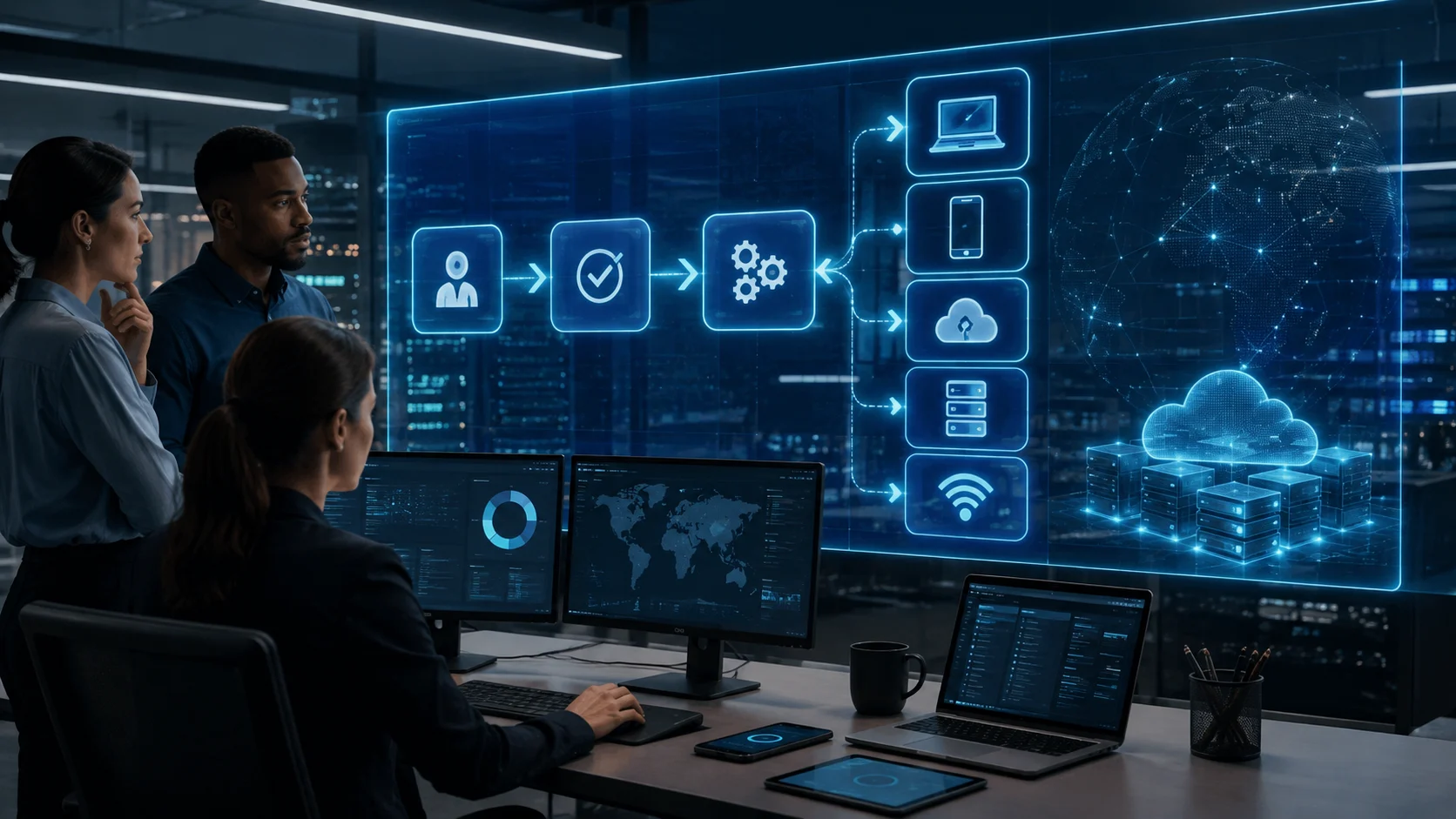
The provisioning process normally begins when a business or technical requirement creates demand for a new resource. A hiring event might trigger user provisioning, while increased application traffic could trigger additional cloud infrastructure. Requests can be created manually through an IT service desk or automatically through systems connected to business workflows. Before resources are created, the provisioning system may evaluate information such as user role, department, location, workload requirements, cost limits, or security classification. These details determine which configuration should be applied. A well-designed provisioning workflow therefore starts with clear requirements rather than simply creating technology resources without knowing how they will be used.
The next stage typically involves authorization and policy evaluation. Organizations rarely want every employee or application to create unlimited accounts, servers, storage, or network access without controls. A provisioning request may therefore require managerial approval, budget authorization, security validation, or automated checks against organizational policies. Role-based access rules can determine which applications a user receives, while cloud governance policies can restrict which resource sizes or regions developers may select. Automated policy enforcement makes provisioning faster because routine requests do not always require manual review. At the same time, exceptions can be routed to administrators when a request falls outside established rules or introduces higher security, compliance, or financial risk.
After approval, the provisioning platform creates or allocates the required resource. For user provisioning, this might mean generating an identity in a directory service and creating accounts in connected applications. For infrastructure provisioning, it could involve launching a virtual machine, container environment, database, network segment, or storage volume. Device provisioning may enroll a laptop or smartphone into an endpoint management platform before applying configurations. Templates are particularly valuable during this stage because they define repeatable settings rather than requiring administrators to configure every resource individually. Standardization helps ensure that similar resources receive similar operating systems, security controls, network settings, applications, and administrative policies.
Configuration usually follows resource creation because a newly created resource may still require additional settings before it becomes usable. A cloud server may need security rules, monitoring agents, operating system updates, application packages, storage connections, and identity permissions. A new employee account may need membership in specific groups, access to shared drives, software licenses, multifactor authentication policies, and communication tools. Configuration management platforms can automate much of this work after the basic resource has been provisioned. In modern infrastructure environments, provisioning and configuration are often tightly connected even though they represent slightly different activities. Provisioning creates or allocates the resource, while configuration prepares its internal settings and behavior for the intended use.
The final stage involves verification, delivery, and ongoing lifecycle management. Automated checks may confirm that the resource exists, required policies have been applied, connectivity works, and appropriate security settings are enabled. The user or application can then receive access to the provisioned resource. Good provisioning systems also record what was created, who requested it, which policies were applied, and when the configuration changed. These records improve troubleshooting, security auditing, compliance, and cost management. Provisioning does not necessarily end permanently after initial setup because resources may later be modified, scaled, reassigned, suspended, or deprovisioned as requirements change throughout their operational lifecycle.
What Are the Main Types of Provisioning?
User provisioning is one of the most common forms of IT provisioning and focuses on creating and managing digital identities. When employees, contractors, partners, or customers require access to systems, their identities must be established and connected to appropriate applications. User provisioning can include creating directory accounts, generating email addresses, assigning licenses, establishing group memberships, and providing permissions according to job responsibilities. Organizations often connect this process to human resources systems so that hiring or role changes automatically trigger account updates. Automated user provisioning reduces repetitive administrative work and can help ensure that access is provided consistently. It also supports faster onboarding because users receive required services without waiting for several independent manual requests.
Server provisioning prepares physical or virtual servers for workloads such as applications, websites, databases, or internal business systems. Traditional physical server provisioning may involve installing equipment, configuring storage, connecting networks, installing operating systems, and applying organizational security policies. Virtualization dramatically simplified this process by allowing administrators to create virtual machines from standardized templates. Cloud computing has made server provisioning even more dynamic because organizations can request computing capacity through software interfaces rather than installing physical hardware. Resources can sometimes be created within minutes and removed just as quickly. Modern server provisioning commonly works alongside automation, configuration management, monitoring, and infrastructure-as-code practices to maintain consistent environments.
Network provisioning involves configuring network resources and services so devices, users, and applications can communicate correctly. This may include switches, routers, firewalls, wireless access points, virtual networks, IP addresses, VPN connections, VLANs, DNS configurations, or software-defined networking components. In large environments, manually configuring individual network devices can create inconsistencies and increase the possibility of human error. Automated network provisioning allows administrators to apply approved templates and policies across many locations or devices. Telecommunications providers also use provisioning when activating connectivity services for customers. Whether the network is physical, virtual, or cloud-based, successful provisioning establishes the connectivity and security rules required for systems to communicate reliably.
Cloud provisioning refers to creating and configuring computing resources within public, private, or hybrid cloud environments. Organizations may provision virtual machines, managed databases, object storage, load balancers, containers, serverless functions, networking resources, and many other cloud services. Because cloud platforms expose programmable APIs, provisioning can be highly automated and integrated directly into software delivery processes. Developers may request environments through self-service platforms, while automated systems enforce organizational policies behind the scenes. Cloud provisioning can also respond dynamically to demand by adding or removing capacity based on workload conditions. However, easy resource creation can lead to unnecessary spending if organizations fail to monitor usage and deprovision resources that are no longer required.
Device provisioning focuses on preparing endpoints such as laptops, smartphones, tablets, desktops, Internet of Things devices, and specialized business equipment. A newly purchased laptop may need enrollment into a device management system, operating system configuration, security policies, encryption, applications, Wi-Fi settings, and user-specific access. Modern organizations increasingly use zero-touch provisioning so devices can configure themselves after employees turn them on and connect to the internet. Instead of IT staff manually preparing every device, a management platform identifies the device and automatically applies the appropriate configuration. This approach is particularly valuable for distributed and remote workforces. It can reduce shipping delays, administrative workload, configuration mistakes, and the need for employees to visit a physical IT office.
Manual vs Automated Provisioning
Manual provisioning occurs when administrators perform the required setup steps individually through graphical interfaces, command-line tools, scripts, or separate management systems. This method can work reasonably well for small organizations with relatively few resources and limited configuration changes. An administrator might manually create an employee account, assign permissions, install software, and configure a device based on a checklist. Manual control can also be useful for unusual systems where every configuration requires individualized decisions. However, the process becomes increasingly difficult to manage as an organization grows. Repetitive manual work consumes IT staff time and creates opportunities for inconsistent settings, forgotten steps, delayed access, and configuration errors.
Automated provisioning uses software, workflows, policies, templates, and integrations to perform repeatable setup tasks with minimal human involvement. A new employee entered into an HR system can automatically trigger account creation, email setup, application access, and device management policies based on department and job role. Similarly, a software deployment pipeline can automatically provision cloud infrastructure whenever developers release a new application environment. Automation improves speed because requests do not have to wait for administrators to complete every individual step. It also improves consistency because the same approved rules are applied repeatedly. For organizations operating at significant scale, automated provisioning is often essential rather than simply a convenience.
Self-service provisioning extends automation by allowing authorized users to request approved resources without requiring IT staff to perform routine setup work. A developer, for example, might open an internal portal and request a testing environment from a catalog containing predefined cloud configurations. The provisioning platform can evaluate the request, apply security and cost policies, create the infrastructure, and notify the developer when the environment is ready. Employees might similarly request approved applications through an enterprise software catalog. Self-service improves productivity because users receive resources more quickly while IT teams retain control through standardized templates and permissions. Successful self-service does not remove governance; instead, it embeds governance into the provisioning process.
Zero-touch provisioning takes automation further by allowing devices or systems to configure themselves with little or no manual interaction. This approach is widely used for employee laptops, networking hardware, smartphones, and other distributed devices. A company can ship a laptop directly from a supplier to an employee without opening the package internally. When the employee connects the device to the internet, it contacts a management service, verifies its organizational ownership, and downloads required applications and policies. Network devices can follow similar processes by retrieving configurations automatically after connecting to the network. Zero-touch provisioning is especially valuable when organizations operate across many offices, support remote employees, or deploy large numbers of standardized devices.
Automated provisioning still requires careful planning because automation can reproduce mistakes just as efficiently as it reproduces correct configurations. Poorly designed rules may grant excessive access, create unnecessary cloud resources, apply outdated software, or configure thousands of devices incorrectly. Organizations therefore need testing, version control, approval workflows, monitoring, and rollback strategies for important provisioning automation. Administrators should understand what automated workflows will change before those workflows are used widely. Human review remains appropriate for unusual, privileged, expensive, or high-risk requests. The goal of automation is not to eliminate human judgment but to remove repetitive work while making routine provisioning faster, more predictable, and easier to govern.
User Provisioning and Identity Access Management
User provisioning is closely connected to identity and access management because digital identities determine who can interact with organizational systems. The process often begins when a new worker is added to an authoritative system such as an HR platform. Information including the employee’s name, department, manager, location, and job role can be used to determine which resources should be assigned. An identity platform may then create a directory account, email account, collaboration profile, and application access automatically. Role-based access control can provide standard permissions associated with a person’s responsibilities. This approach allows organizations to move away from manually deciding every individual permission while still maintaining consistent security policies.
Role changes create another important provisioning requirement because employees rarely keep exactly the same responsibilities throughout their entire time with an organization. A promotion, department transfer, temporary assignment, or location change may require access to new applications while making previous permissions unnecessary. If organizations only add new access without removing old permissions, users can gradually accumulate privileges that exceed their current responsibilities. Automated identity systems can update access based on authoritative employment information and established role definitions. This process is sometimes referred to as lifecycle identity management. Effective provisioning therefore involves not only initial account creation but also continuous adjustment as someone’s relationship with the organization changes.
Deprovisioning becomes particularly important when a worker leaves the organization. Accounts that remain active after departure can create security risks because former employees or attackers may retain pathways into business systems. A well-designed offboarding workflow can disable sign-in, revoke application sessions, remove group memberships, reclaim software licenses, transfer ownership of important files, and preserve records according to organizational policies. High-risk access may need to be revoked immediately when employment ends. Automated integration between HR and identity systems can reduce delays between an employment change and the corresponding technology action. Reliable deprovisioning is therefore just as important to security as granting the correct access during onboarding.
Standards and protocols can make automated user provisioning easier across different software platforms. For example, identity systems may use standardized methods to create, update, and remove accounts in compatible cloud applications. Organizations can connect centralized identity providers to business software so account lifecycle changes are synchronized automatically. Single sign-on can complement provisioning by giving users a centralized authentication experience after accounts have been created. However, authentication and provisioning are different concepts. Authentication verifies who someone is when they sign in, while provisioning determines whether the account exists and which services or permissions that identity should receive.
Least privilege should remain a central principle when designing user provisioning workflows. Employees should generally receive the level of access required for their responsibilities rather than broad permissions that may never be needed. Highly privileged roles should have stricter approval requirements and may need additional monitoring or periodic access reviews. Temporary permissions can also be configured to expire automatically instead of remaining active indefinitely. Automated provisioning works especially well when organizations have clearly defined job roles, ownership responsibilities, and access policies. Without those foundations, automation may simply accelerate inconsistent permission decisions rather than improving security, productivity, or governance.
Cloud and Infrastructure Provisioning
Cloud computing has transformed infrastructure provisioning by allowing organizations to create technology resources through software rather than waiting for physical equipment to be installed. A development team can provision compute instances, databases, storage, networking, and load balancing through a cloud management console or programmable interface. These resources can often be available quickly, making it possible to create temporary testing environments or rapidly expand production capacity. Cloud provisioning also supports global infrastructure because services can be created in multiple geographic regions without building new data centers. This flexibility has become one of the most important advantages of cloud computing. However, fast provisioning requires strong governance to prevent uncontrolled resource growth and unnecessary spending.
Infrastructure as code, commonly shortened to IaC, allows teams to describe infrastructure configuration in machine-readable files rather than creating each resource manually. These files can define networks, servers, databases, security rules, storage, and relationships between resources. An automation platform reads the configuration and creates the desired infrastructure in a repeatable way. Because the files can be stored in version control, teams can review changes, track history, and collaborate using many of the same practices applied to software development. Infrastructure as code also makes it easier to reproduce similar environments for development, testing, and production. Consistency reduces the configuration differences that can create difficult-to-diagnose application problems.
Configuration management often works alongside infrastructure provisioning but addresses a slightly different problem. Provisioning may create a virtual machine with the required CPU, memory, storage, and operating system, while configuration management installs packages and applies settings inside that machine. In modern environments, these activities may be combined into a single automated deployment pipeline from the user’s perspective. Container platforms can further reduce traditional server configuration by packaging applications and dependencies into standardized images. Organizations may also provision managed services where the cloud provider handles much of the underlying infrastructure. The specific technology changes, but the objective remains consistent: provide applications with the computing resources and settings they require in a controlled, repeatable manner.
Dynamic provisioning allows resources to be created automatically in response to changing demand rather than only through scheduled administrative requests. A busy ecommerce application, for instance, may need additional computing capacity during a major sales event. Automated systems can detect increased workload and provision additional instances or containers to handle traffic. When demand decreases, unnecessary resources can be removed so the organization does not continue paying for unused capacity. Storage systems can similarly provision capacity when applications request new persistent volumes. This elasticity is one of the defining characteristics of modern cloud environments. It enables infrastructure to respond to workload conditions, although organizations must establish limits to prevent unexpected scaling behavior or excessive costs.
Cloud provisioning also creates governance challenges because resource creation is intentionally easy. Developers may launch test servers and forget to remove them, teams may use expensive configurations unnecessarily, or resources may be created without appropriate security settings. Organizations can address these risks using approved templates, tagging requirements, budget limits, automated security policies, and lifecycle rules. Centralized visibility helps administrators understand which resources exist, who owns them, and why they were created. Automated deprovisioning can remove temporary environments after defined periods of inactivity. Effective cloud provisioning therefore balances speed with control, giving teams enough flexibility to innovate while preventing security, operational, and financial problems.
Provisioning Examples in Real-World IT
A new employee onboarding workflow provides a practical example of provisioning across several systems. Once the employee record becomes active, an automated identity platform can create a user account and assign standard access based on department and position. Email, collaboration software, file storage, business applications, and security policies can be prepared before the person’s first working day. An endpoint management platform may also configure a company laptop and automatically install required software when the employee signs in. If approval is needed for sensitive applications, those requests can be routed to the correct manager automatically. This coordinated provisioning process reduces the delays that often occur when each IT team handles onboarding through separate manual requests.
A software development team creating a new testing environment provides another common provisioning example. Instead of asking administrators to manually build a server, the developer can trigger an approved infrastructure template through a self-service portal or development pipeline. The platform provisions a virtual network, compute resources, storage, database services, security rules, and monitoring components using predefined specifications. Configuration automation then deploys the application and prepares dependencies required for testing. When testing finishes, the entire temporary environment can be deprovisioned automatically. This approach helps organizations control cloud costs while allowing developers to obtain environments quickly and reproduce them consistently whenever a new release requires testing.
A retail company opening a new branch may use network and device provisioning to prepare technology before employees begin operating at the location. Routers, switches, wireless access points, payment terminals, laptops, printers, and security devices can be registered centrally before being shipped to the store. When equipment connects to the internet, zero-touch provisioning can retrieve the appropriate configuration based on device identity and location. Network policies establish approved connectivity, while endpoint systems install applications and security settings. Central automation allows a small IT team to deploy technology across many stores without sending specialists to configure every device manually. Standardized provisioning also makes troubleshooting easier because locations are built from consistent configurations.
A cloud-based ecommerce platform provides a good example of dynamic infrastructure provisioning. Traffic may remain moderate during normal periods but increase rapidly during promotional campaigns or holiday shopping seasons. Monitoring systems can identify growing demand and automatically add application capacity using predefined scaling policies. Load balancers distribute incoming requests among the newly provisioned resources, helping maintain performance as traffic changes. When customer activity falls, excess capacity can be removed to reduce cloud costs. Similar automation may be applied to databases, caches, queues, and other supporting services. Dynamic provisioning allows infrastructure to adapt more closely to actual demand rather than remaining permanently sized for occasional traffic peaks.
Account removal after an employee departure demonstrates why deprovisioning belongs in any discussion of provisioning. When HR marks an employee as having left the organization, an automated workflow can disable the primary identity and terminate active sessions. Connected systems can remove application access, reclaim paid software licenses, revoke cloud permissions, and transfer ownership of important resources where necessary. Company devices may be locked or prepared for secure data removal according to organizational policy. Administrators can retain required business records without leaving active credentials available unnecessarily. This final lifecycle example shows that effective provisioning is not simply about adding resources quickly; it is about maintaining controlled access and resource ownership from creation through eventual removal.
Best Practices for Effective IT Provisioning
Standardization is one of the most important provisioning best practices because repeatable configurations are easier to secure, support, and troubleshoot. Organizations should create approved templates for common user roles, server configurations, cloud environments, devices, and networking requirements. Instead of allowing each administrator to make independent decisions for routine resources, templates can define baseline operating systems, security settings, monitoring tools, permissions, and configuration values. Exceptions can still be supported when legitimate business requirements exist, but they should be documented clearly. Standardized provisioning reduces configuration drift between similar resources. It also creates a stronger foundation for automation because predictable rules are easier for software systems to apply consistently.
Automation should be introduced where tasks are repetitive, predictable, and supported by clear policies. Creating user accounts, assigning standard applications, launching development environments, enrolling endpoints, and applying common network configurations are strong candidates for automated provisioning. Organizations should avoid automating poorly understood processes simply because automation technology is available. Before automating a workflow, teams should identify inputs, approvals, exceptions, failure conditions, ownership, and expected outcomes. Automated processes should also produce logs so administrators can understand exactly what happened when troubleshooting is required. The most successful automation usually begins with a stable manual process and then converts repeatable decisions into controlled rules.
Security needs to be incorporated directly into provisioning rather than added after resources have already been created. New systems should receive appropriate access controls, encryption, patching, monitoring, logging, and network restrictions as part of their standard configuration. User accounts should receive permissions based on least privilege, while privileged access should require stronger approval and monitoring. Cloud resources should be checked for risky settings before they become publicly accessible or receive sensitive information. Automated policy enforcement can prevent many insecure configurations from reaching production. By embedding security into provisioning templates and workflows, organizations make safe configuration the default rather than relying on administrators to remember every security requirement manually.
Lifecycle management is equally important because technology resources continually change after initial provisioning. Organizations should track who owns each resource, why it exists, when it was created, and when it should be reviewed or removed. Temporary cloud environments can receive automatic expiration dates, while user permissions can be reviewed periodically to confirm that they remain necessary. Software licenses should be reclaimed when accounts are deactivated, and unused infrastructure should be deprovisioned to reduce unnecessary costs. Ownership information is particularly important when employees change roles or leave the organization. Provisioning systems that manage the complete lifecycle provide more value than processes focused only on creating new resources.
Finally, organizations should regularly measure whether provisioning workflows actually improve user experience and operational efficiency. Useful metrics can include account setup time, percentage of automated requests, provisioning failures, abandoned resources, access approval time, security policy violations, and cloud resources without assigned owners. Frequent failures may indicate that templates, integrations, or source data require improvement. Long approval times might reveal workflows where low-risk decisions could be automated safely. User feedback can also identify missing applications or unclear request processes that technical metrics fail to reveal. Effective provisioning should help people receive appropriate resources quickly while giving IT teams visibility and control. Continuous improvement keeps provisioning aligned with changing technology, security requirements, and business needs.
Frequently Asked Questions About IT Provisioning
What does provisioning mean in IT?
Provisioning in IT means creating, configuring, and preparing technology resources so they can be used by people, applications, or systems. Resources may include user accounts, servers, cloud services, networks, storage, software, and end-user devices.
What is an example of provisioning?
A common example is preparing technology for a new employee. IT may provision an email account, application access, security permissions, a configured laptop, collaboration tools, and network access before the employee starts work.
What is the difference between provisioning and configuration?
Provisioning generally creates or allocates the resource, while configuration defines how that resource should operate after it exists. In modern automated systems, both activities are frequently combined into one workflow.
What is automated provisioning?
Automated provisioning uses software, templates, policies, APIs, and workflows to create and configure IT resources with little manual intervention. It can reduce setup time, improve consistency, and allow IT teams to manage larger environments more efficiently.
What is deprovisioning?
Deprovisioning is the process of removing or disabling technology resources when they are no longer required. It can include closing user accounts, revoking permissions, reclaiming software licenses, deleting temporary cloud resources, and removing access to organizational systems.

