

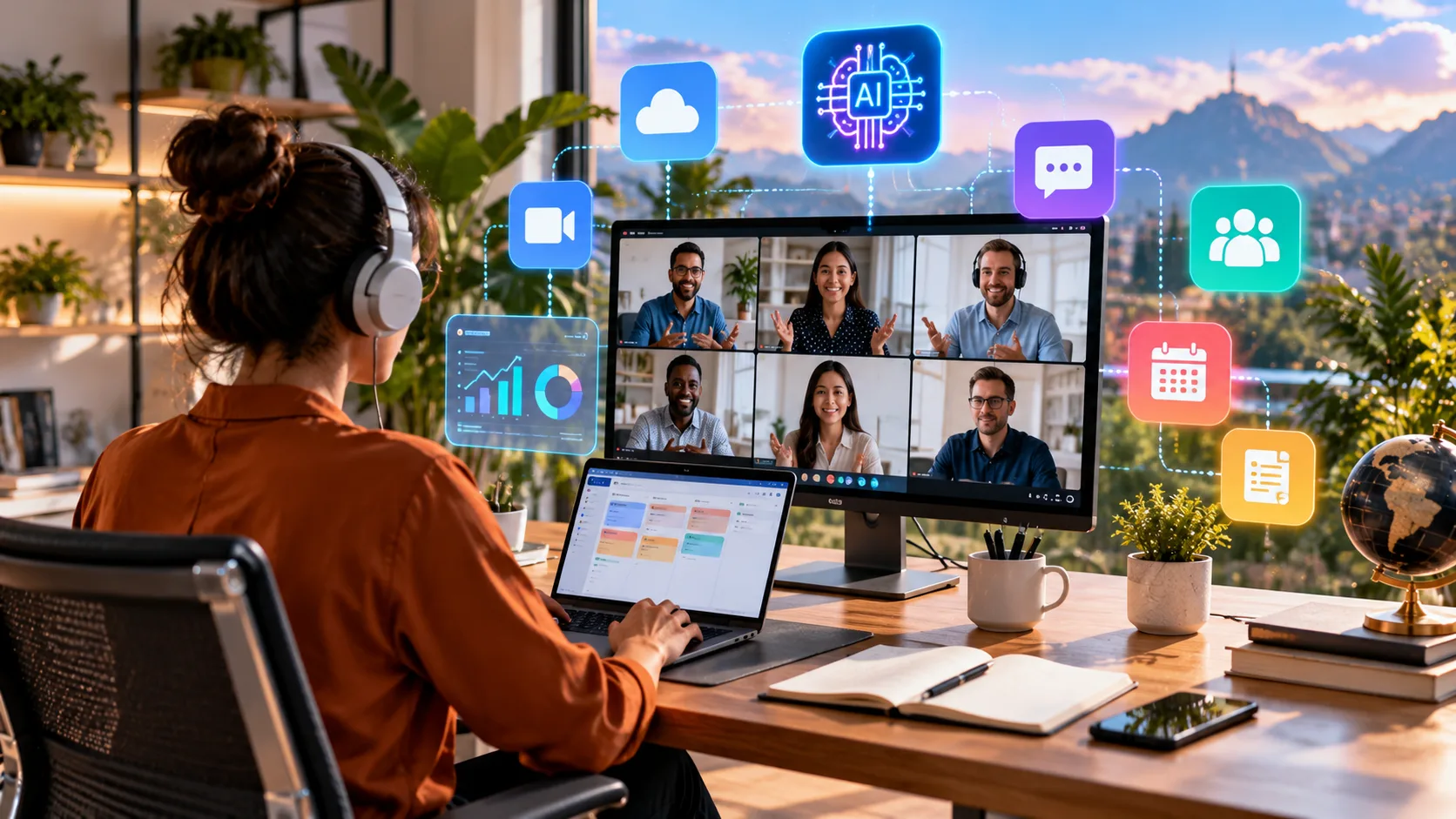
What Are AI Tools for Managing Remote Teams?
AI tools for managing remote teams are digital platforms that use artificial intelligence to improve communication, organize projects, automate repetitive tasks, and support collaboration. These solutions help businesses coordinate employees working from different locations and time zones. Instead of relying entirely on manual updates, managers can use AI-powered features to summarize discussions, monitor project progress, and organize information.
Remote team management involves challenges such as delayed communication, scattered documents, unclear responsibilities, and scheduling difficulties. Artificial intelligence can address some of these problems by turning conversations into actionable summaries and highlighting important project developments. This makes it easier for distributed employees to stay informed without attending unnecessary meetings or constantly checking multiple workplace applications.
The best AI tools for remote teams combine practical collaboration features with intelligent automation and accessible interfaces. Platforms such as Slack, Microsoft Teams, Asana, and ClickUp provide different capabilities for modern workplaces. Choosing the right software depends on team size, project complexity, existing applications, security requirements, and the specific communication problems an organization wants to solve.
Slack AI: Best for Remote Team Communication
Slack AI enhances workplace messaging by helping employees understand conversations and locate important information more efficiently. Remote teams often communicate through numerous channels, making it difficult to follow every discussion. AI-generated conversation summaries help employees catch up on developments without manually reading extensive message histories, particularly after meetings, holidays, or periods of focused work.
Slack also provides AI-supported search capabilities that help users find relevant information through natural language questions. Depending on the subscription, employees can access features such as conversation recaps, meeting notes, and intelligent search answers. These capabilities can reduce repetitive questions while helping distributed teams locate decisions, shared information, and updates from previous conversations.
Slack AI is particularly useful for marketing agencies, technology companies, startups, and businesses with frequent cross-department communication. Its integration ecosystem connects messaging with project management and other workplace applications. However, organizations should establish notification rules and channel guidelines because artificial intelligence cannot automatically eliminate distractions caused by poorly organized communication practices.
Microsoft Teams Copilot: Best for Microsoft 365 Workplaces
Microsoft Teams with Copilot provides AI-assisted collaboration for organizations using the Microsoft 365 ecosystem. It helps employees review meeting discussions, organize communication, and identify important information from supported workplace activities. These capabilities are especially valuable for remote teams that depend on virtual meetings and shared documents to coordinate daily responsibilities.
During eligible meetings, Copilot can help summarize conversations, identify discussion points, and answer questions about meeting content. Available functionality depends on licensing, meeting configuration, and organizational settings. Integration with Microsoft 365 applications also creates opportunities to connect workplace communication with documents, presentations, calendars, and other existing productivity resources.
Microsoft Teams Copilot is an attractive option for established businesses, corporate departments, and distributed organizations already using Microsoft software. Its centralized environment may reduce the need for disconnected collaboration applications. However, managers should review licensing costs, information permissions, and employee training requirements before introducing advanced AI features across the organization.
Asana AI: Best for Remote Project Management
Asana AI helps distributed teams coordinate projects by combining traditional work management with intelligent assistance. Remote managers can organize responsibilities, monitor deadlines, and review progress within shared project spaces. Its AI capabilities can support status reporting and help teams identify important developments without requiring repeated manual updates from every employee.
One useful feature is AI-generated project status reporting, which helps draft updates based on available project information. Managers can review potential obstacles, outstanding questions, and progress across selected activities. These summaries provide a convenient starting point for team communication, although employees should verify accuracy before sharing reports with stakeholders.
Asana AI works particularly well for agencies, operations departments, product teams, and organizations managing multiple deadlines. Its structured approach helps connect communication with clearly assigned responsibilities and measurable project milestones. Businesses should consider subscription requirements and existing workflows because advanced automation works best when projects are already organized consistently.
ClickUp Brain: Best for Task Management and Automation
ClickUp Brain combines artificial intelligence with project management, documents, and team collaboration features. It helps remote employees locate information, summarize project activity, and organize work within a shared workspace. By connecting AI assistance with existing tasks, ClickUp aims to reduce administrative effort and make project updates easier to prepare.
Managers can use ClickUp Brain to generate project summaries, review task discussions, and prepare team updates. Additional capabilities include extracting action items from documents and summarizing activity across selected workspace areas. These functions can be helpful when numerous employees contribute to projects asynchronously and managers need a clearer understanding of progress.
ClickUp Brain is suitable for growing businesses, creative agencies, and remote teams seeking customizable project workflows. Its broad feature set offers flexibility for organizations managing different types of work. However, the platform may require thoughtful setup and onboarding, especially for employees unfamiliar with detailed project management systems or advanced automation features.
Notion AI: Best for Remote Team Knowledge Management
Notion AI helps remote teams organize documentation, retrieve workplace information, and create written content within collaborative workspaces. Distributed organizations often struggle when important knowledge exists across disconnected files and conversations. Notion provides a centralized environment for maintaining project guides, onboarding materials, meeting notes, and internal procedures that employees can revisit independently.
Its AI capabilities support writing, summarization, and searching for relevant information. Enterprise Search can retrieve answers from eligible connected applications and workspace content, depending on the organization’s plan and configuration. This functionality may help employees locate project decisions or company policies without repeatedly interrupting colleagues across different time zones.
Notion AI is particularly useful for startups, content teams, consulting businesses, and organizations emphasizing asynchronous collaboration. Its flexible pages and databases allow different departments to maintain structured information. However, successful knowledge management still depends on accurate documentation, sensible access permissions, and regular updates to prevent outdated information from influencing AI-generated answers.
Zoom AI Companion: Best for Virtual Meetings
Zoom AI Companion supports remote collaboration by offering AI-assisted features within Zoom’s communication environment. Virtual meetings remain essential for many distributed businesses, particularly when discussing complicated projects or building team relationships. AI assistance can reduce administrative work associated with documenting conversations and reviewing decisions after meetings conclude.
Meeting summaries can help participants understand important discussion points and follow-up responsibilities when the feature is available and enabled. Supported AI capabilities vary according to account eligibility, administrator settings, and product configuration. Employees should review summaries carefully because automated notes may occasionally miss context, misunderstand terminology, or overlook important distinctions.
Zoom AI Companion is useful for businesses conducting frequent team meetings, client presentations, and remote training sessions. It can complement existing communication platforms without replacing project management software. Organizations should establish clear rules regarding meeting consent, AI-generated notes, confidentiality, and information sharing before enabling automated meeting assistance.
Monday.com AI: Best for Workflow Automation
Monday.com AI combines work management with intelligent automation to help teams organize activities and improve operational efficiency. Its board-based structure allows managers to track assignments, responsibilities, deadlines, and project updates. AI-supported capabilities can assist with repetitive administrative processes, helping remote organizations manage work across departments with greater consistency.
The platform offers AI-powered workflows, content generation, information extraction, and intelligent assistance through supported features such as monday sidekick. Businesses can use these capabilities to summarize information and automate selected workflow steps. Feature availability depends on account configuration, subscription eligibility, and rollout status, making it important to confirm capabilities before implementation.
Monday.com AI is particularly suitable for operations teams, marketing departments, and businesses managing repeatable processes. Its customizable workflows can support different organizational requirements without forcing every department into an identical structure. However, excessive automation may create confusion if responsibilities are unclear, so human oversight remains important when configuring complex business processes.
Otter.ai: Best for AI Meeting Notes
Otter.ai focuses on AI-assisted meeting transcription, conversation summaries, and organizational note-taking. Remote employees often attend discussions where several decisions and responsibilities are introduced quickly. Automated documentation can make these conversations easier to review, reducing dependence on individual employees to record every important detail manually during virtual meetings.
The platform can help teams capture spoken discussions and organize meeting information into searchable records. Depending on the plan and connected meeting services, supported features may include automated summaries and identified action items. These capabilities can be useful when employees cannot attend every meeting or need to confirm details discussed previously.
Otter.ai is especially relevant for consulting teams, project managers, and distributed organizations that frequently hold collaborative meetings. It works best as a documentation assistant rather than an unquestioned record of decisions. Businesses should review privacy settings, participant consent requirements, transcription accuracy, and storage policies before adopting automated meeting recording workflows.
Google Workspace With Gemini: Best for Connected Productivity
Google Workspace with Gemini offers AI-assisted productivity across selected Google applications used by remote teams. Organizations working with Gmail, Google Docs, Google Drive, and Google Meet can benefit from features integrated into familiar tools. This connected environment may reduce unnecessary application switching while supporting writing, communication, document analysis, and meeting preparation.
Gemini can assist with drafting content, organizing information, and summarizing supported workplace materials. Eligible Google Meet users can also access AI note-taking capabilities that create meeting notes and make them available through connected Google services. Availability depends on subscription plans, administrator permissions, language support, and the specific application being used.
Google Workspace with Gemini is suitable for small businesses, educational teams, agencies, and organizations already using Google’s collaboration applications. Its familiar interface can make adoption easier for existing Workspace users. Nevertheless, managers should establish clear information-sharing policies and verify AI-generated outputs before using them for important workplace decisions or external communication.
How to Choose the Best AI Tool for Your Remote Team
Choosing an AI remote team management tool begins with identifying the organization’s most important collaboration challenges. Some teams struggle with excessive meetings, while others need better task tracking, document access, or communication across time zones. Understanding these priorities helps managers select software that addresses real problems rather than adopting unnecessary AI features.
Businesses should evaluate integration capabilities, employee usability, subscription costs, and administrative controls before making a decision. A platform that connects smoothly with existing applications may provide greater practical value than a complicated system requiring extensive changes. Security standards, data retention practices, and available technical support also deserve careful consideration.
Testing a potential tool with a small employee group can reveal whether its features genuinely improve workplace efficiency. Managers can evaluate the quality of AI summaries, ease of task management, and employee satisfaction during normal activities. Feedback from this trial provides useful evidence for deciding whether wider implementation is appropriate.
Benefits and Limitations of AI in Remote Team Management
AI tools can improve remote collaboration by reducing repetitive administrative work and making important information easier to access. Automated summaries, intelligent search, and workflow assistance may save employees time previously spent reviewing conversations or preparing routine reports. These improvements can allow managers to devote greater attention to planning, coaching, and solving meaningful operational problems.
However, AI-generated content is not always accurate, complete, or appropriate for every business decision. Summaries can overlook context, automated recommendations may reflect incomplete information, and poorly configured workflows can introduce errors. Organizations should keep employees responsible for reviewing important outputs and making final decisions involving customers, projects, or personnel.
Privacy and employee trust are equally important when introducing AI-powered workplace monitoring or productivity features. Organizations should explain what information is collected, how it is used, and who can access it. AI should support collaboration and reasonable workload management rather than encourage intrusive surveillance or evaluate employees through unreliable automated judgments.
Best Practices for Using AI With Distributed Teams
Successful AI adoption requires clear expectations about which tasks should receive automated assistance and which decisions require human involvement. Businesses can begin with straightforward activities such as meeting summaries, document organization, and routine project updates. Introducing limited use cases makes it easier to evaluate results and resolve problems before expanding automation.
Employee training is important because AI features are most helpful when users understand their capabilities and limitations. Managers should provide examples of effective prompts, explain information security rules, and encourage verification of important outputs. Teams should also know when to avoid entering confidential material or sensitive employee information into unauthorized applications.
Regular feedback helps organizations determine whether AI tools are genuinely improving communication and productivity. Managers can review workflow efficiency, information quality, employee experiences, and unnecessary administrative tasks. Adjusting processes based on these findings supports responsible adoption while ensuring technology complements professional judgment, healthy communication practices, and collaborative team relationships.
Conclusion
The best AI tools for managing remote teams provide practical solutions for communication, project coordination, documentation, and workflow automation. Slack AI and Microsoft Teams Copilot support workplace collaboration, while Asana AI and ClickUp Brain help organize project activity. Notion AI, Zoom AI Companion, monday.com AI, Otter.ai, and Google Workspace with Gemini offer additional specialized capabilities.
Selecting the right platform depends on organizational needs, existing software, employee preferences, and available resources. Businesses should evaluate AI functionality carefully rather than assuming every advanced feature delivers meaningful productivity improvements. Testing tools before wider adoption and reviewing information security requirements can help organizations make more informed technology decisions.
Artificial intelligence works best when it supports employees rather than replacing thoughtful leadership and human communication. Clear responsibilities, effective collaboration practices, and appropriate oversight remain essential for managing distributed teams successfully. By combining suitable AI-powered platforms with responsible working practices, organizations can create more connected, organized, and productive remote environments.
Frequently Asked Questions (FAQs)
What is the best AI tool for managing remote teams?
The best option depends on your team’s requirements. Slack AI supports communication, Asana AI and ClickUp Brain assist project management, and Microsoft Teams Copilot is useful for organizations using Microsoft 365.
Can AI tools improve remote team productivity?
AI tools can reduce repetitive administration, summarize conversations, and organize project information. Productivity improvements depend on appropriate implementation, employee training, accurate outputs, and clear workflows rather than artificial intelligence alone.
Are AI remote team management tools suitable for small businesses?
Yes, many AI collaboration platforms support smaller organizations. Small businesses should compare subscription costs, usability, integration options, and essential features before choosing tools that match their budgets and operational requirements.
Can AI replace remote team managers?
AI can assist managers with reporting, scheduling, documentation, and routine workflows, but it cannot fully replace human leadership. Employee development, conflict resolution, strategic decisions, and meaningful communication still require professional judgment.
Are AI tools for remote teams secure?
Security varies between platforms and configurations. Businesses should review encryption, access permissions, data retention policies, administrator controls, and applicable privacy requirements before introducing AI tools into workplace communication or project management processes.

