

Data Center Noise: Causes, Risks & Ways to Reduce It
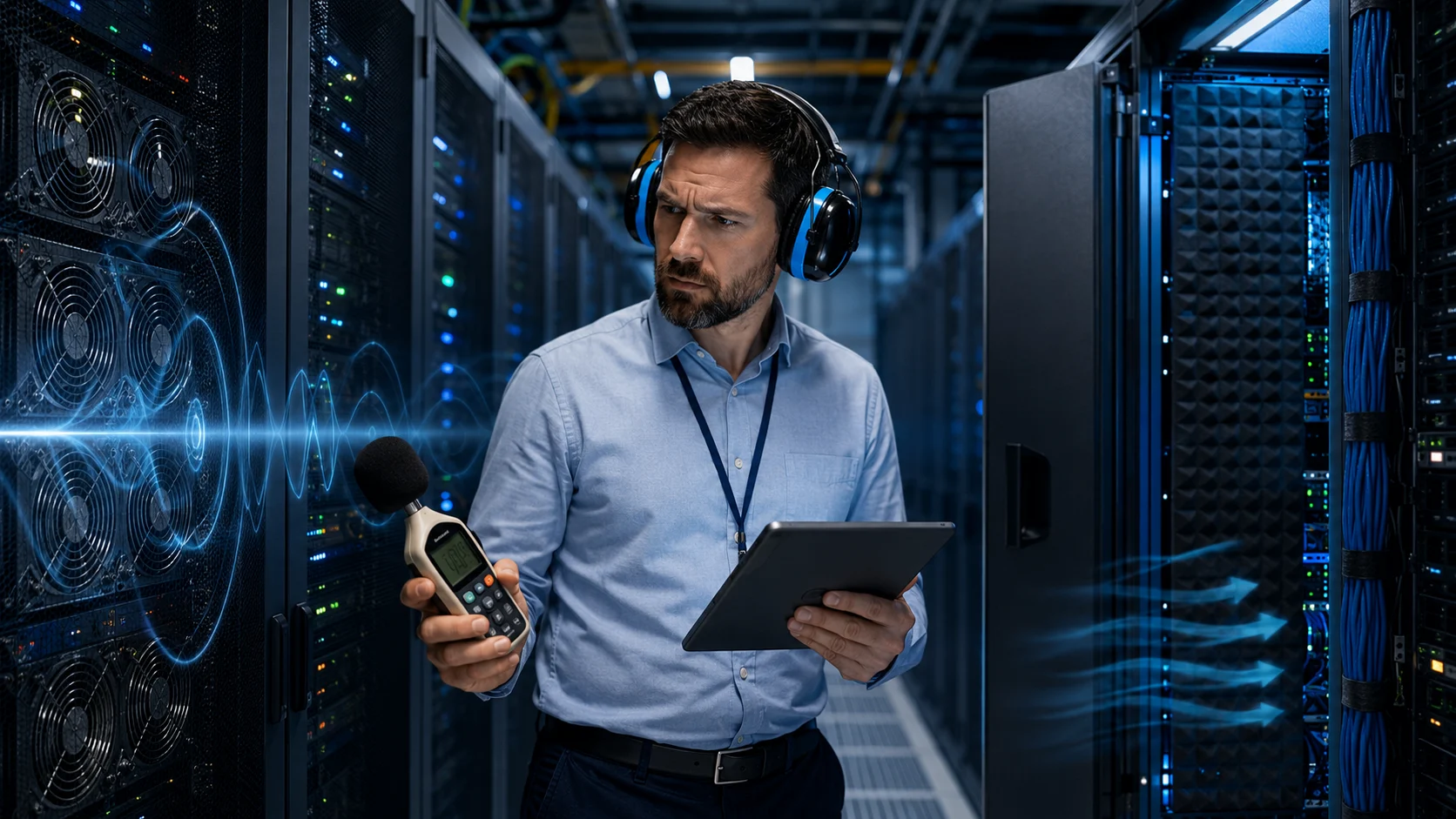
Data center noise is the continuous sound produced by servers, cooling systems, power equipment, fans, pumps, and other infrastructure operating inside a data center or server room. Because these facilities contain large numbers of high-performance devices working around the clock, noise levels can become significantly higher than those found in a normal office environment. Server fans are among the most obvious sources, but HVAC equipment, chillers, UPS systems, transformers, generators, and airflow can also contribute. The combined sound can create an environment where conversation becomes difficult and prolonged exposure may become uncomfortable or potentially harmful. Noise is therefore not only a comfort issue but also an operational and workplace-safety consideration. Understanding where data center noise comes from makes it easier to control it effectively.
Modern data centers are becoming denser as organizations install more powerful processors, AI accelerators, storage systems, and networking equipment within limited space. Higher computing density often produces more heat, which means cooling systems and server fans must work harder to remove that heat. This can increase overall sound pressure levels, especially around high-density racks and mechanical cooling areas. At the same time, technicians still need to enter these environments for maintenance, troubleshooting, installation, and inspections. Effective noise management must therefore balance equipment cooling, uptime, worker safety, and practical maintenance access. This guide explains what causes data center noise, the risks associated with prolonged exposure, how noise is measured, and the most effective ways to reduce it.
What Causes Noise in a Data Center?
Server fans are one of the biggest sources of data center noise because nearly every server contains several small, high-speed fans designed to move air through tightly packed components. Processors, memory, storage drives, network cards, and power supplies all generate heat, and the fans remove that heat before temperatures reach unsafe levels. Small fans often rotate at very high speeds, creating a strong high-frequency sound that can become especially noticeable when hundreds of servers operate together. When workload increases, fan speed may rise automatically, causing the room to become even louder. Poor airflow can also force fans to work harder than necessary. For this reason, thermal design and noise levels are closely connected inside data centers.
Cooling infrastructure adds another major layer of sound. Computer room air conditioning systems, computer room air handlers, chillers, cooling towers, pumps, compressors, and ventilation fans can all generate mechanical noise. Air moving quickly through ducts, vents, floor tiles, and containment systems also creates turbulence that adds to the overall acoustic environment. Cooling equipment may produce lower-frequency sound than server fans, creating a combination of humming, rushing air, and high-pitched fan noise. Mechanical vibration can travel through floors, walls, and structural supports, making sound noticeable even outside the equipment room. In larger facilities, cooling systems may therefore contribute as much to noise exposure as the IT equipment itself.
Power infrastructure can also produce significant noise. Uninterruptible power supply systems may contain internal cooling fans, transformers, capacitors, and power electronics that create continuous humming or fan noise. Power distribution units and switchgear can contribute additional electrical and mechanical sound. Backup generators are much louder when operating and can create substantial low-frequency noise during testing or utility outages. Large transformers may produce a recognizable hum caused by magnetic effects inside their cores. Battery energy storage systems and other modern power technologies can also require cooling systems that increase noise. These components are essential for uptime, but their acoustic impact needs to be considered in facility design.
Storage and networking equipment contribute as well, particularly in high-density environments. Hard disk drives produce spinning, vibration, and mechanical movement when read/write heads access data, although solid-state storage has reduced this source in many newer systems. Network switches can be surprisingly loud because compact high-speed switches often use small fans that rotate rapidly to cool dense electronics. Storage arrays, routers, firewalls, and other appliances can all contain independent fan systems. When several pieces of equipment are installed in one rack, their combined airflow and vibration can produce a concentrated noise zone. Technicians working directly behind racks may experience much higher sound levels than someone standing near the entrance.
The room itself can make the problem worse through reflection and poor acoustic design. Data centers often contain hard floors, metal racks, concrete walls, ceilings, and other surfaces that reflect sound rather than absorb it. As noise bounces around the room, reflected waves combine with direct equipment noise and can make the environment feel louder. Raised floors and structural panels can also transmit vibration between equipment areas. Narrow hot or cold aisles may concentrate sound, especially when airflow and fan exhaust move in the same direction. This means that data center noise is not determined only by the equipment installed. Room geometry, materials, rack arrangement, and airflow design all influence the final acoustic conditions.
How Loud Are Data Centers?
Data center noise is commonly measured using sound pressure levels expressed in decibels, often using A-weighted decibels, or dBA, when evaluating human hearing exposure. The decibel scale is logarithmic rather than linear, meaning relatively small numerical increases can represent substantial changes in sound energy. A room measuring 85 dBA is not simply a little louder than one measuring 75 dBA. Because of this logarithmic relationship, technicians should not assume that a ten-decibel increase represents only a minor change. Professional sound-level meters can provide more reliable measurements than subjective impressions. Accurate monitoring is important because people may become accustomed to continuous noise and underestimate how loud their working environment actually is.
Noise levels can vary considerably between facilities and even between different locations inside the same data center. A small server room with a handful of low-power systems may be relatively manageable, while a high-density computing facility can be much louder. Areas directly behind server racks may have elevated noise because exhaust fans discharge hot air at high velocity. Mechanical rooms containing chillers, pumps, or compressors can produce a very different acoustic profile. Generator areas can become extremely loud during testing or emergency operation. Noise assessments should therefore measure multiple locations rather than treating the entire facility as one uniform acoustic environment.
Workload can influence data center sound levels because cooling demand changes with processor and equipment activity. Servers running heavy computational workloads generate more heat, which can cause fans to accelerate. High-density AI and GPU servers are especially demanding because they may consume large amounts of power within a single rack. During low utilization, some systems reduce fan speed and operate more quietly. As computational demand increases, sound levels can rise quickly. Measurements performed during a quiet maintenance period may therefore underestimate typical or worst-case exposure. Noise surveys should account for normal production workloads and peak operating conditions.
Temperature also affects noise because fan-control systems respond to thermal conditions. If cooling supply air becomes warmer, server fans may increase speed to maintain safe component temperatures. Blocked airflow, missing rack blanking panels, recirculated exhaust air, or poor containment can produce the same effect. A room that sounds unusually loud may therefore be indicating a cooling inefficiency rather than merely a noisy equipment design. Monitoring temperature and acoustic conditions together can help identify these relationships. Fixing airflow problems can sometimes reduce noise without replacing any servers because equipment no longer needs to compensate with higher fan speeds.
Organizations should also distinguish between average noise levels and short periods of very high exposure. A technician may spend most of a shift in a moderately loud server area but occasionally enter a generator room or work beside high-speed cooling equipment. Those peaks still matter when evaluating occupational exposure. Frequency characteristics also influence perceived discomfort because high-frequency fan noise can be particularly tiring or difficult to ignore. Low-frequency vibration from mechanical systems may travel farther through structures. A complete assessment therefore considers sound level, frequency, duration, location, and how frequently employees enter different acoustic zones.
What Are the Risks of Data Center Noise?
Prolonged exposure to high noise levels can contribute to hearing damage when employees spend enough time in loud environments without adequate protection. Hearing loss related to occupational noise can develop gradually, making it difficult for individuals to notice early changes. A person may begin struggling to hear certain frequencies or conversations in background noise before recognizing a significant problem. Because data centers operate continuously, employees who regularly perform long maintenance tasks may accumulate exposure over time. The risk depends on sound level and exposure duration rather than simply whether a room feels uncomfortable. Organizations should therefore treat acoustic conditions as part of workplace health and safety.
Temporary hearing effects can also occur after spending time in a loud facility. Employees may notice ringing in the ears, muffled hearing, or difficulty understanding speech immediately after leaving the room. These symptoms can indicate that the auditory system has been stressed by noise. Repeated exposure without sufficient recovery can increase concern about longer-term damage. Workers should not consider ringing or muffled hearing a normal consequence of maintaining servers. Reporting such symptoms allows safety teams to review exposure conditions and protective measures. Early awareness is valuable because hearing damage can be permanent once it develops.
Communication becomes more difficult as ambient noise increases. Technicians may struggle to hear colleagues clearly while coordinating equipment changes, power work, cabling, or emergency procedures. Misunderstood instructions can create operational risk when teams are working around critical systems. Employees may remove hearing protection temporarily to communicate, which can increase personal exposure. Radios, headsets, visual communication methods, and defined maintenance procedures can help reduce this problem. Facility design should also provide quieter areas where employees can discuss complex tasks without competing against server and cooling noise. Clear communication is especially important during incidents when mistakes can affect uptime.
Noise can contribute to fatigue, stress, and reduced concentration even when exposure does not immediately damage hearing. Continuous high-frequency fan sound can make work mentally tiring, particularly during long troubleshooting sessions. Employees may become more irritable or have difficulty focusing on detailed technical tasks. Data center maintenance often requires careful attention to labels, cables, configuration details, and safety procedures, so distraction can increase the chance of human error. Shorter exposure periods and quiet recovery areas can help reduce fatigue. Noise management should therefore consider worker comfort and cognitive performance in addition to formal hearing-protection thresholds.
Vibration can create separate operational risks when mechanical equipment transfers energy into racks, floors, or nearby systems. Excessive vibration may affect mechanical components, connectors, and older spinning-disk storage systems under certain conditions. It can also create rattling panels and structural noise that make the acoustic environment worse. Loose equipment can amplify vibration significantly. Facility teams should investigate unusual humming, rattling, or resonance rather than assuming every sound is normal. Vibration isolation and proper equipment mounting can improve both acoustic comfort and infrastructure reliability. Noise reduction can therefore support maintenance quality as well as employee wellbeing.
How Is Data Center Noise Measured and Monitored?
Sound-level meters are commonly used to measure noise inside data centers. These instruments report sound pressure level in decibels and may support different weighting methods depending on the purpose of the assessment. A-weighted measurements are often used when evaluating human hearing because they approximate the sensitivity of the ear across common frequencies. Professional meters can also record minimum, maximum, and average values over time. Measurements should be taken at realistic working positions rather than only at walls or room entrances. For example, readings behind high-density racks may better represent technician exposure during maintenance.
Personal noise dosimeters provide another useful approach because they measure the exposure experienced by an individual over a work period. A dosimeter can be attached to a technician and record changing noise levels as that person moves through server aisles, mechanical rooms, staging areas, and other spaces. This gives a more realistic picture than a single stationary reading when employees move frequently. Dosimetry is especially useful for evaluating maintenance roles that involve several acoustic environments during one shift. Safety professionals can use the data to determine whether exposure controls or hearing protection need improvement. The results also help identify which activities contribute most to total exposure.
Noise mapping can help facilities understand where the loudest areas are located. Technicians take measurements at multiple points and create a visual map showing sound levels across aisles, rooms, and equipment zones. These maps can reveal hotspots around particular racks, cooling systems, or power equipment. Organizations can then prioritize engineering controls rather than applying the same solution everywhere. Signs may also mark areas requiring hearing protection or limited exposure. Repeating the survey after infrastructure changes allows teams to verify whether noise-control projects actually improved conditions.
Frequency analysis can provide deeper information than an overall decibel reading. Server fans often generate higher-frequency sound, while transformers, chillers, and generators may create stronger low-frequency components. Different acoustic treatments work better for different frequency ranges, so identifying the dominant sound spectrum can improve mitigation planning. A simple foam treatment that absorbs higher frequencies may have limited effect on low-frequency mechanical vibration. Acoustic consultants can use octave-band or more detailed frequency measurements to determine which sources require attention. This approach is valuable when a facility has persistent noise even after obvious fan sources have been addressed.
Continuous monitoring may be appropriate in facilities where workload, cooling operation, or equipment configurations change frequently. Permanently installed sensors can track noise over time and correlate it with temperature, server utilization, fan speed, or mechanical-system behavior. Sudden increases may reveal a failing fan, blocked airflow, or cooling-system problem before technicians identify it manually. Historical data can also support workplace exposure reviews and facility planning. Noise should not necessarily become another alarm source for every small variation, but trend monitoring can provide useful operational context. Combining acoustic data with environmental monitoring creates a more complete view of data center conditions.
How to Reduce Server and Rack Noise
Improving airflow is one of the most effective ways to reduce server fan noise because fans often become loud when equipment struggles to receive enough cool air. Hot aisle and cold aisle arrangements help prevent warm exhaust air from mixing with chilled supply air. Blanking panels can close unused rack spaces so hot air does not recirculate toward server intakes. Cable management also matters because large bundles behind equipment can obstruct airflow and increase pressure resistance. When servers receive cooler air more efficiently, their internal fans may operate at lower speeds. Better airflow therefore improves both acoustic conditions and energy efficiency.
Hot aisle or cold aisle containment can further improve thermal separation. Containment prevents hot exhaust air from returning directly to equipment intakes and allows cooling systems to operate more predictably. By reducing recirculation, servers may need less aggressive fan operation to maintain acceptable component temperatures. Containment can also create different acoustic zones because panels and doors partially separate airflow pathways. However, containment materials should not interfere with fire protection, maintenance access, or required ventilation. Facility teams should design these systems around both thermal performance and operational safety. Properly implemented containment can reduce cooling demand and indirectly lower equipment noise.
Selecting quieter equipment can make a meaningful difference during hardware refresh cycles. Servers vary in acoustic performance depending on chassis size, fan design, power density, and workload. Compact high-density systems often require smaller, faster fans that can be louder than larger systems moving similar amounts of air. Procurement teams can include acoustic characteristics alongside performance, power consumption, and thermal requirements when comparing equipment. This is especially useful for edge data centers or server rooms located near occupied offices. Noise does not always need to be the primary purchasing criterion, but ignoring it completely can create avoidable operational problems.
Rack placement can influence how noise reaches employees. High-noise equipment can be grouped in areas where technicians spend less routine time, provided doing so does not create thermal or network-design problems. Rack doors and enclosures can sometimes include acoustic treatment while still supporting required airflow. Solid sound-blocking materials should never be installed in ways that restrict cooling or cause equipment temperatures to rise. Direction matters as well because fan exhaust noise may be stronger behind a rack than in front. Understanding these patterns helps facility planners create safer maintenance routes and work positions.
Regular maintenance also prevents unnecessary noise. Failing bearings can cause fans to whine, grind, or vibrate long before complete failure occurs. Dust accumulation may restrict airflow and force cooling equipment to operate harder. Loose panels, rack components, cable-management hardware, and floor tiles can vibrate and create rattling sounds. Monitoring fan health and replacing damaged components early can reduce both noise and the risk of overheating. A sudden increase in sound from one server or rack should be investigated because it may signal a hardware or thermal problem rather than normal operation.
How to Reduce Cooling and Mechanical Noise
Cooling-system optimization can reduce both energy consumption and sound. Fans, pumps, and compressors do not always need to operate at maximum output when thermal demand is lower. Variable-speed drives allow mechanical equipment to adjust performance according to actual load. Running a large fan more slowly can reduce noise significantly while still providing sufficient airflow under suitable conditions. Temperature sensors and automated controls help systems respond dynamically rather than operating conservatively at high speed continuously. Optimization must be performed carefully because cooling reliability remains essential. The objective is to remove unnecessary mechanical effort without reducing thermal protection.
Vibration isolation can reduce sound transmitted through floors, walls, piping, and structural supports. Mechanical equipment can be installed on isolators, springs, pads, or specialized mounts that absorb some vibration before it enters the building structure. Flexible connections can help prevent pumps and compressors from transmitting vibration through pipes and ducts. Proper balancing of rotating equipment is also important because an unbalanced fan or motor can create unnecessary vibration. Isolation treatments should be selected according to equipment weight, operating frequency, and structural conditions. Effective vibration control can reduce low-frequency noise that ordinary acoustic panels may not address well.
Duct design influences airflow noise throughout cooling systems. Sharp turns, undersized ducts, high air velocities, and turbulent transitions can create rushing or whistling sounds. Properly sized ducts and smoother airflow paths can reduce turbulence while maintaining required cooling performance. Acoustic lining or silencers may be used in selected ventilation systems when appropriate. However, any material installed in a data center environment needs to meet fire, cleanliness, and maintenance requirements. Facilities should also avoid acoustic treatments that introduce particles near sensitive equipment. Good mechanical design addresses noise at the source rather than trying to absorb all of it after installation.
Chillers, cooling towers, and external mechanical equipment may require special treatment because their noise can affect neighboring buildings as well as employees. Acoustic barriers, equipment enclosures, strategic placement, and low-noise fan designs can reduce sound propagation. Barriers work best when they interrupt the direct path between the source and the receiving location. Enclosures must still allow sufficient ventilation and maintenance access. External noise control is particularly important for data centers located near residential or mixed-use areas. Local planning and environmental requirements may also influence acceptable noise levels around the property boundary.
Maintenance remains essential for mechanical noise control. Worn belts, damaged bearings, loose fan blades, poorly aligned motors, and cavitating pumps can create sound levels far above normal operating conditions. Routine inspections should include listening for changes in equipment sound as well as checking temperatures and vibration. Predictive maintenance systems can monitor vibration signatures and identify problems before equipment fails completely. Repairing one mechanical defect may provide a larger noise reduction than installing extensive acoustic material elsewhere. Noise can therefore act as a useful diagnostic signal when facility teams know what normal equipment operation should sound like.
Acoustic Design and Hearing Protection
Acoustic treatment can reduce reflected sound inside a data center by adding materials designed to absorb certain frequencies. Hard surfaces such as concrete and metal reflect sound strongly, so carefully placed acoustic panels can reduce reverberation. Materials used near IT equipment must meet appropriate fire, dust, durability, and airflow requirements. Ordinary office acoustic foam may not be suitable for every technical environment. Panels are most useful when reflections contribute substantially to total noise rather than when technicians stand directly beside a loud fan source. Source control should generally come first, with room treatment addressing remaining reflected sound.
Acoustic barriers can separate noisy mechanical areas from workspaces or maintenance zones. Walls and partitions with appropriate sound-isolation properties can reduce transmission when they are installed correctly and extend far enough to block direct sound paths. Doors, cable penetrations, vents, and service openings can undermine performance if they allow sound to leak around the barrier. Mechanical rooms containing generators, chillers, and pumps often benefit from stronger isolation than ordinary server aisles. Designers must also consider access, fire safety, ventilation, and emergency egress. Effective acoustic separation requires a complete room design rather than adding one panel after construction.
Hearing protection is important when engineering controls cannot reduce employee exposure sufficiently. Earplugs and earmuffs can reduce the amount of sound reaching the ear when selected and worn correctly. Different protectors provide different attenuation characteristics, so the most appropriate option depends on measured noise levels and work requirements. Excessive protection can also make communication and warning signals difficult to hear. Safety teams should therefore select protection based on an actual noise assessment rather than simply choosing the product with the highest available rating. Training is necessary because poorly fitted earplugs may provide far less protection than expected.
Communication headsets can be useful when technicians need to speak with colleagues while wearing hearing protection. Systems designed for high-noise environments can combine hearing attenuation with microphones and controlled audio communication. This is safer than repeatedly removing ear protection during maintenance. Visual indicators, written procedures, and hand signals can also support communication during tasks where speech is difficult. Emergency alarms need to remain perceivable under the selected hearing-protection system. Organizations should evaluate communication as part of the overall hearing-conservation approach rather than treating it as a separate convenience.
Quiet rooms or recovery areas can reduce the amount of time employees spend continuously exposed to data center noise. Technicians can review documentation, discuss troubleshooting steps, or complete administrative work outside the equipment hall whenever direct physical presence is not required. Remote monitoring tools can further reduce unnecessary time inside loud spaces. This is especially useful during long diagnostic sessions where employees might otherwise remain beside racks while waiting for tests or software processes to finish. Administrative controls do not replace engineering noise reduction, but they can limit exposure duration. A layered strategy combining engineering, administrative, and personal protective controls provides stronger protection.
Best Practices for Managing Data Center Noise
The first best practice is to establish a baseline through professional noise assessment. Teams should measure representative server aisles, mechanical rooms, generator areas, staging spaces, and other locations where employees work. Measurements should reflect normal and peak workloads rather than only quiet periods. Personal exposure monitoring may be useful for technicians who move between several areas during a shift. Results should be documented so future infrastructure changes can be compared with the baseline. Without reliable measurements, organizations may spend money on areas that feel loud while overlooking locations where actual exposure is higher.
Noise management should be incorporated into data center design and procurement rather than addressed only after complaints occur. Facility designers can consider equipment placement, airflow, room materials, vibration isolation, and acoustic separation from the beginning. Hardware procurement teams can review fan characteristics and power density alongside computing performance. Cooling-system design can use variable-speed equipment and efficient airflow to avoid unnecessary fan operation. These decisions are usually easier and less expensive during planning than after a facility is fully operational. Acoustic performance should therefore be treated as one element of overall data center engineering.
Organizations should also train technicians to recognize unusual equipment noise. Employees who work regularly around servers often notice when one rack suddenly becomes louder or when a fan begins producing a different tone. These changes can indicate overheating, failed bearings, blocked airflow, or other developing problems. A simple reporting process encourages workers to raise concerns before the issue becomes a hardware failure. Maintenance teams can then compare sound changes with temperature, fan speed, and monitoring data. Noise awareness therefore supports both safety and preventive maintenance.
Hearing conservation procedures should be based on measured exposure and applicable workplace requirements. Employees need to know which areas require hearing protection, how to fit protective equipment, and when exposure should be limited. Signage can identify high-noise zones clearly. Contractors and visitors should receive the same protection when they enter affected areas. Periodic review is necessary because data center equipment density can increase over time as new racks and cooling capacity are added. A room considered acceptable several years ago may become substantially louder after repeated upgrades.
Finally, data center teams should treat noise reduction as a continuous improvement process. New hardware, AI infrastructure, liquid-cooling technologies, server refreshes, and changes in rack density can alter the acoustic environment. Noise surveys should be repeated after major facility or equipment changes. Maintenance records can identify recurring noisy components, while environmental monitoring can show relationships between temperature and fan speed. Employee feedback provides additional information about locations where long work sessions are difficult. Combining measurement, engineering improvements, maintenance, and worker protection creates a more sustainable approach than relying on hearing protection alone.
Frequently Asked Questions About Data Center Noise
Why are data centers so loud?
Data centers are loud because servers, network equipment, power systems, and cooling infrastructure contain many fans, pumps, compressors, and other moving components. High airflow is required to remove the heat generated by dense computing equipment.
Can data center noise damage hearing?
Prolonged exposure to sufficiently high noise levels can contribute to hearing damage. The actual risk depends on sound level, exposure duration, frequency, and how often employees work in noisy areas, which is why professional monitoring and appropriate hearing protection are important.
What is the biggest source of server room noise?
High-speed server fans are often one of the most noticeable sources, especially in dense racks. Cooling systems, network switches, UPS equipment, pumps, and mechanical ventilation can add significantly to the overall noise.
How can data center noise be reduced?
Noise can be reduced through better airflow, hot or cold aisle containment, quieter hardware, variable-speed cooling, vibration isolation, acoustic treatment, preventive maintenance, strategic equipment placement, and appropriate hearing-protection programs.
Does liquid cooling make data centers quieter?
Liquid cooling can reduce reliance on high-volume air cooling in some high-density computing environments, potentially lowering certain fan and airflow noise sources. Pumps, heat exchangers, cooling distribution units, and remaining air-cooled equipment can still generate sound, so total noise depends on the complete system design.

